Clinical resource · Testing workflows
The blood test journey, from order to result
The practical stages a blood test goes through with Doxtor: choosing tests, collection, labelling, the laboratory and results. Educational information, not clinical advice.

A blood test passes through several hands between the patient asking for it and the patient reading the result. This resource sets out those stages as Doxtor handles them. It describes the workflow, not which tests a patient should have: that decision belongs to the clinic.
1. Choosing the tests
The clinic chooses tests for the patient: its own panels, the laboratory’s panels, biomarker groups or single biomarkers. A biomarker is never ordered twice, even when two choices include it.
2. Placing the order
The order records the patient, the tests and the price. Placing it issues the order’s barcode and sends the order to the laboratory electronically.
3. Collection
The clinic collects the samples the tests need: each tube or container, how many, and which tests it is for. See how sample requirements are worked out.
4. Labelling and dispatch
Every sample is labelled with the order’s barcode, packaged as the laboratory asks, and sent. The clinic marks the samples as sent. See labelling and sending samples.
5. At the laboratory
The laboratory confirms when it has received the samples, and the order shows it. The laboratory then analyses them. Doxtor does not perform laboratory testing.
6. Results
The laboratory reports the results, which arrive on the order and in the patient’s record with their units, reference ranges and flags. The report is released as the laboratory sent it, and the patient is told it is ready.
7. The patient
The patient opens a secure link, or the clinic’s patient portal on Doxtor Pro, and reads their report. Questions about what a result means go to the clinic.
Every stage is recorded on the order’s timeline, so the clinic can see where any order is at any time.
Related resources
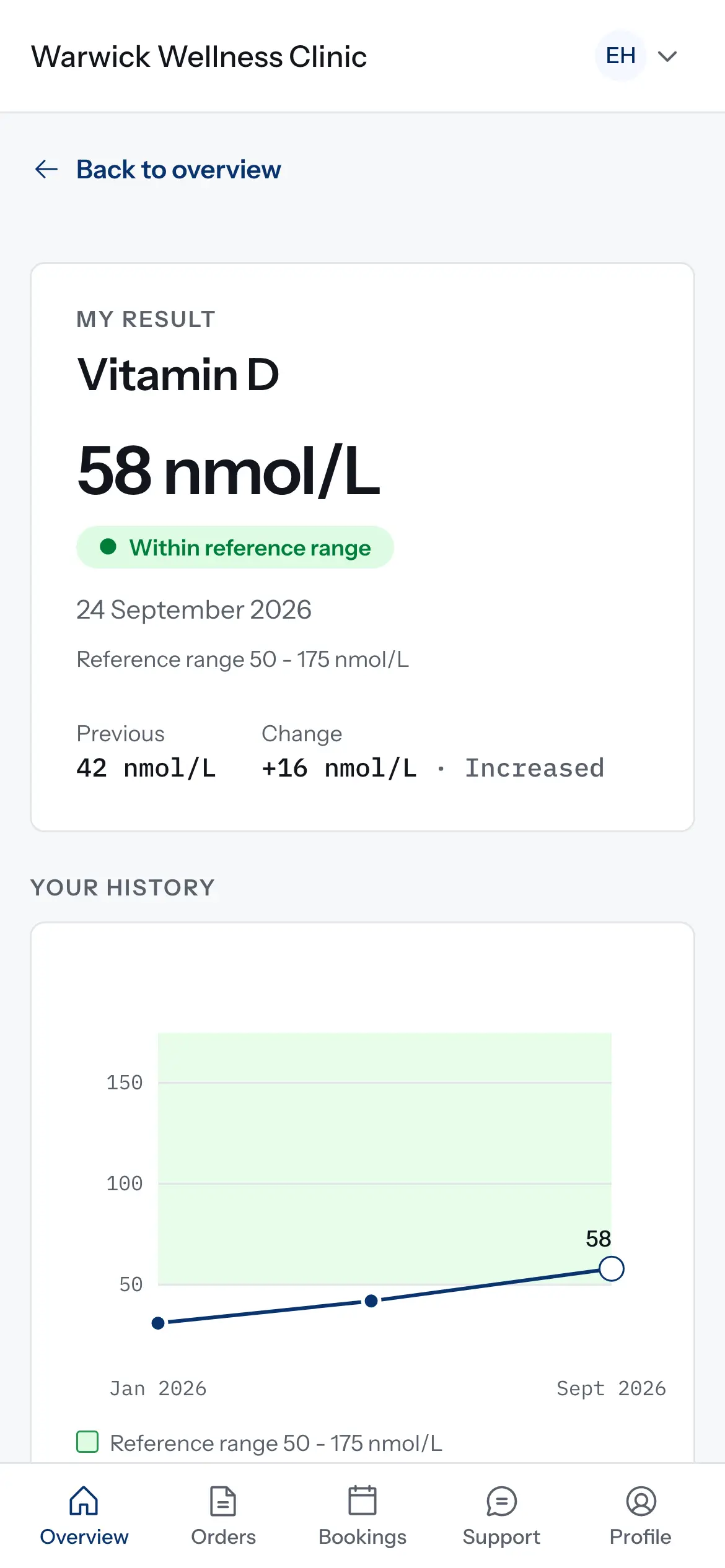
How results are compared over time
How the patient portal decides what counts as a change between two results, and why some results are shown but not charted. Educational information, not clinical advice.
1 min read
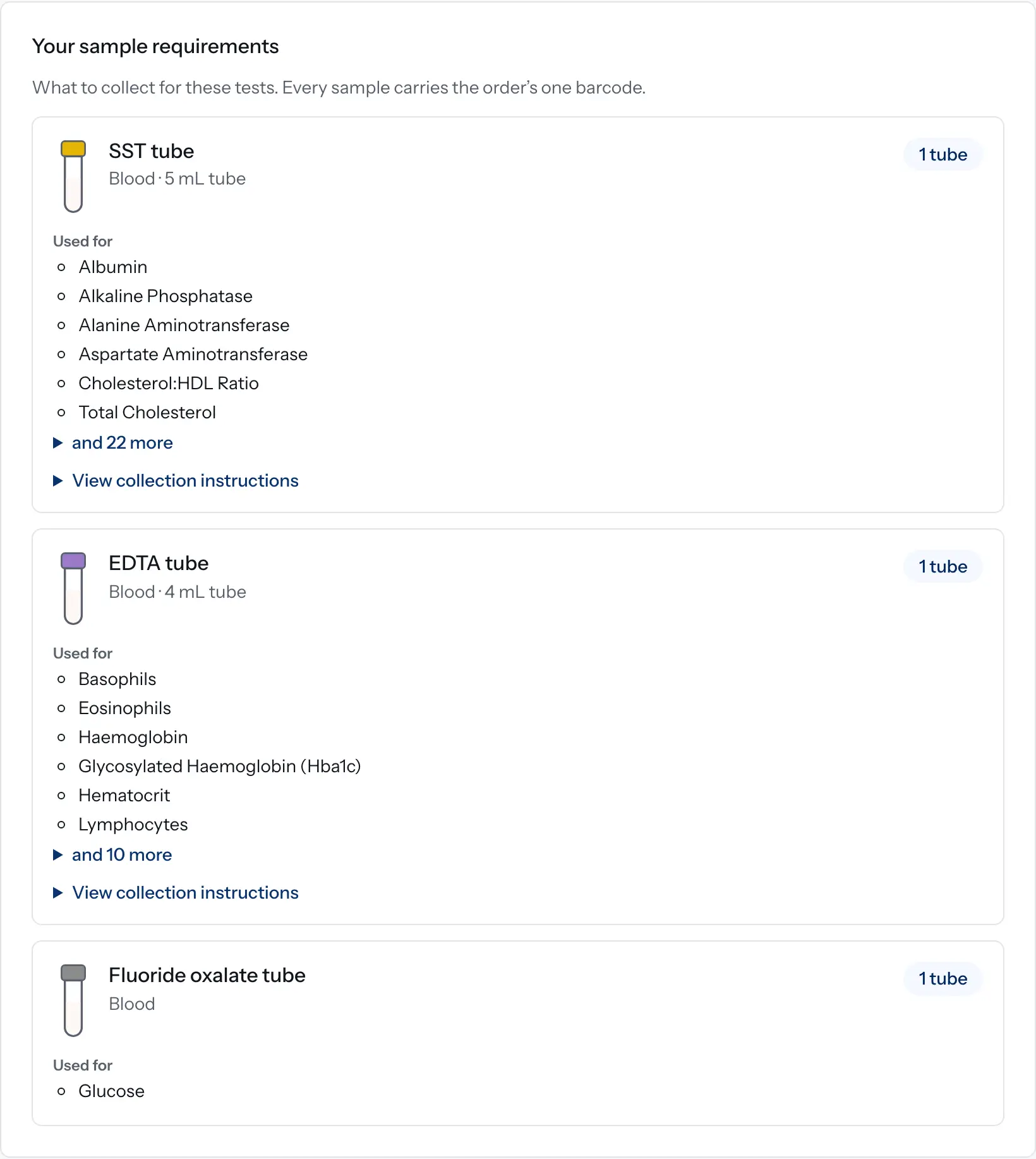
How sample requirements are worked out in Doxtor
How Doxtor turns the tests on an order into a list of tubes and containers to collect, and when it shows a volume. Educational information, not clinical advice.
2 min read
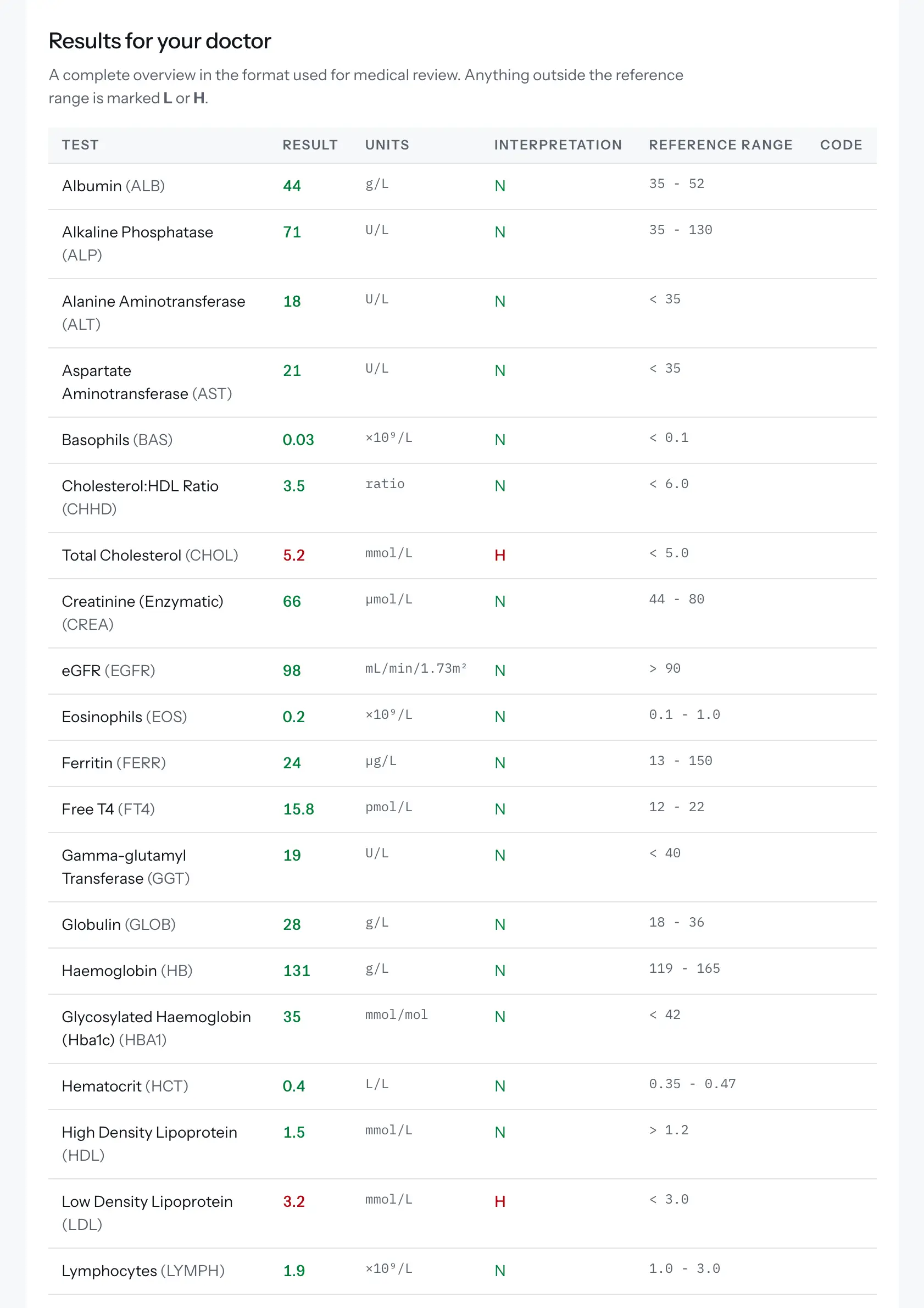
Reading a blood test report
The terms used in a blood test report, what a reference range is, and how a Doxtor report is laid out. Educational information, not clinical advice.
2 min read