Clinical resource · Sample collection
How sample requirements are worked out in Doxtor
How Doxtor turns the tests on an order into a list of tubes and containers to collect, and when it shows a volume. Educational information, not clinical advice.
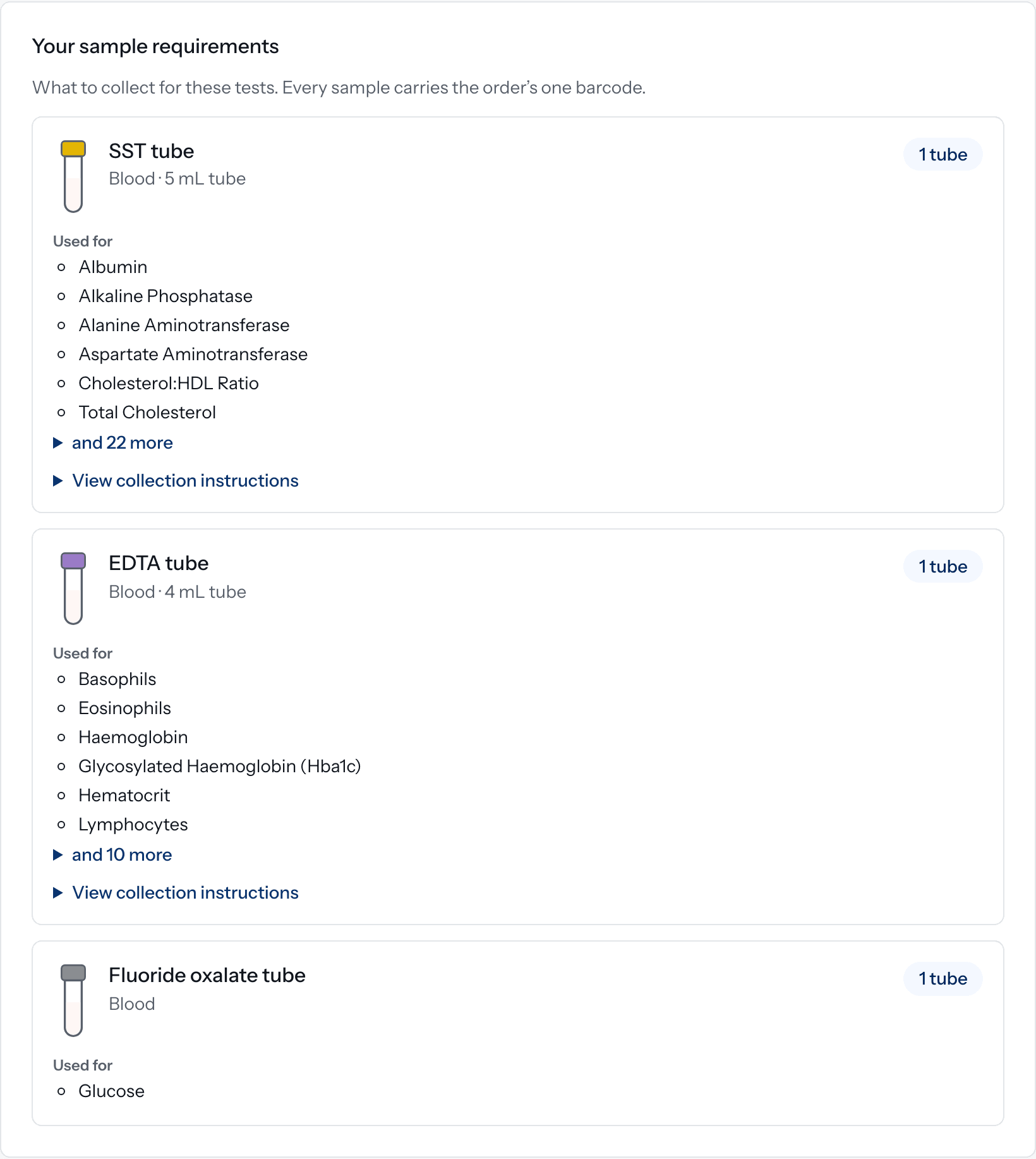
When a clinic places an order, Doxtor shows your sample requirements: what to collect for the tests on the order. This resource explains how that list is put together. It describes Doxtor’s rules, not laboratory requirements for any particular test, which come from the laboratory itself.
One row per tube or container
Tests are grouped by the tube or container the laboratory needs for them. Each group is one physical sample, so the clinic sees one row per tube type with:
- the kind of tube or container;
- how many to collect;
- which tests it is for; and
- collection instructions or a video, where the laboratory has provided them.
The clinic never has to work out which tests share a tube.
How many tubes
By default, each tube type asks for the number configured for it, usually one. Doxtor counts tubes from volumes only when the laboratory has confirmed the volume for every test in that tube. It then adds the confirmed volumes and rounds up to a whole tube.
A volume is shown only where it has been confirmed. Nothing is estimated.
Special cases
- Filled to the line. Some tubes, such as citrate, are filled to a line rather than by volume, so no volume is shown for them.
- Containers. Samples such as urine are collected in the container the laboratory accepts, with no volume.
- Tests collected more than once. A test that needs more than one collection, such as a glucose tolerance test, gets a tube or container for each.
- Calculated results. Results worked out from other results, such as eGFR, never add a tube.
When a requirement is not known
If a test has no collection requirement set up, Doxtor says so before anyone collects, and asks the team to contact the laboratory first. Doxtor does not fill the gap with a guess.
Labelling
Every sample on an order carries the order’s one barcode. See what is the barcode on each sample, and placing your first order for the whole process.
Related resources
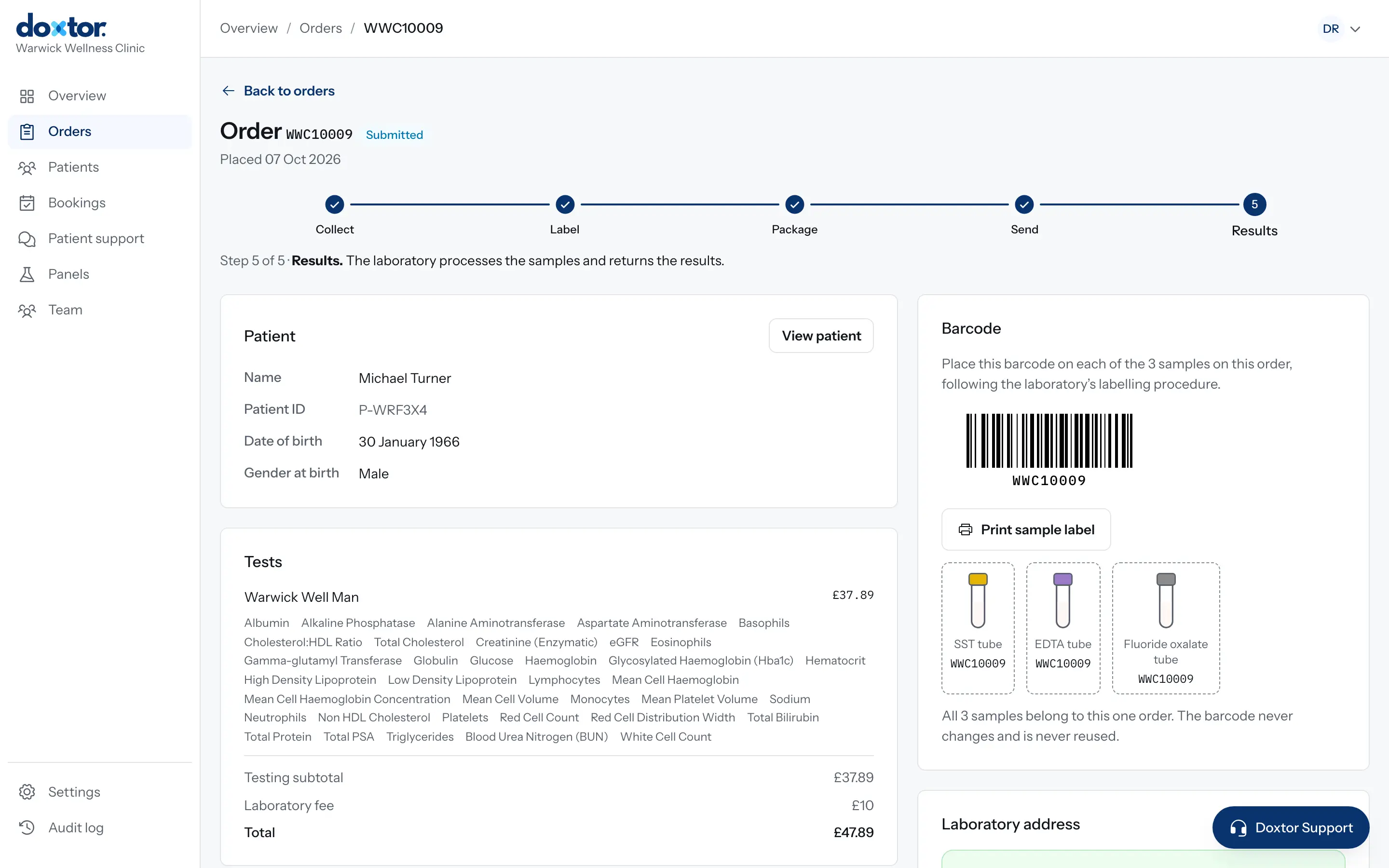
Labelling and sending samples to the laboratory
What to do after collection: label every sample with the order's barcode, package them as the laboratory asks, mark them as sent, and follow them to the laboratory.
1 min read
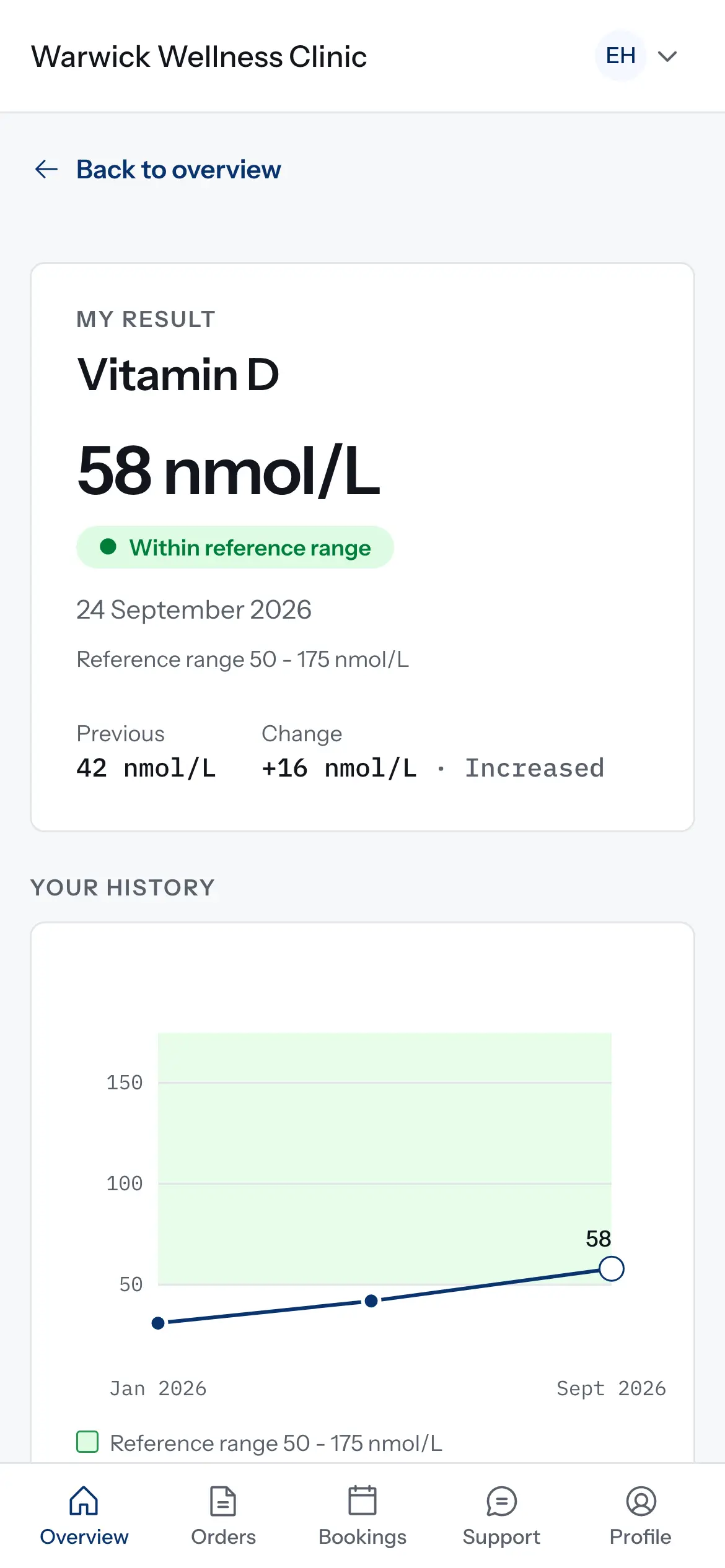
How results are compared over time
How the patient portal decides what counts as a change between two results, and why some results are shown but not charted. Educational information, not clinical advice.
1 min read
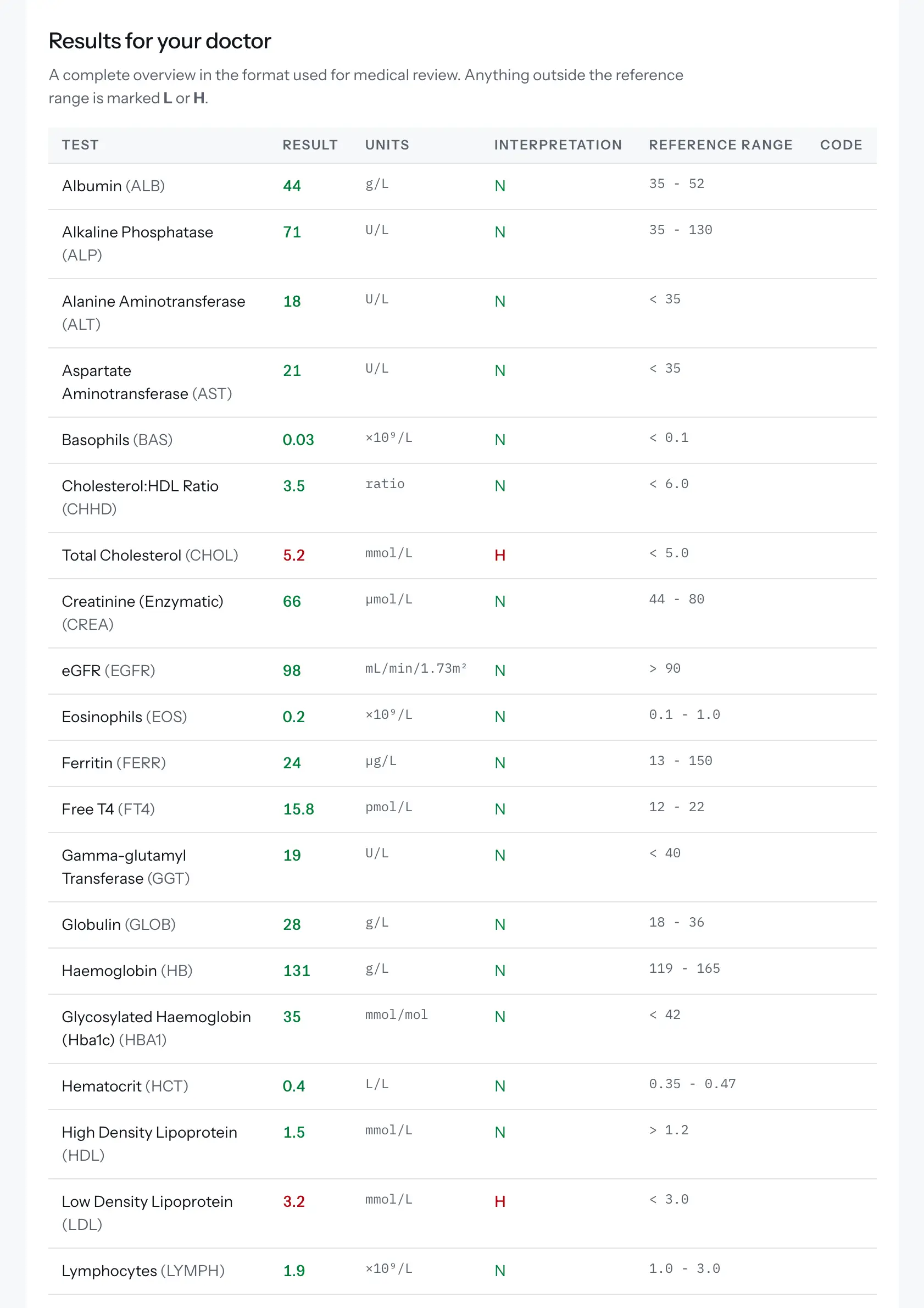
Reading a blood test report
The terms used in a blood test report, what a reference range is, and how a Doxtor report is laid out. Educational information, not clinical advice.
2 min read