Every blood test, followed from start to finish
Doxtor follows each order from the tests a patient needs to the report they read. Here is what your team does at each step, and what Doxtor does for them.
The seven stages of a blood test
Test selection
Panels, biomarker groups or single biomarkers. A test already covered by another choice is removed for you.
Order
Choose or add the patient, see the price, and place the order.
Sample preparation
Each tube or container to collect, how many, and which tests share it, with any collection instructions.
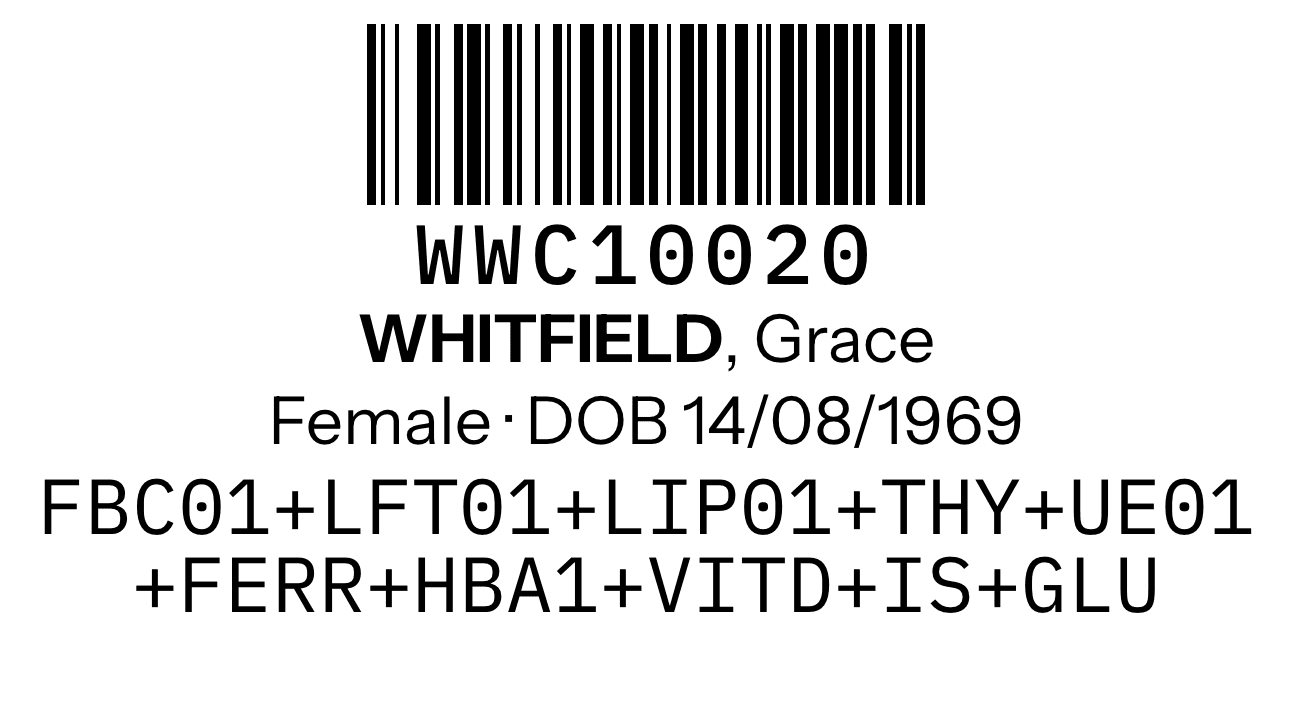
Barcode
One barcode for the order, printed on a label for every sample.
Laboratory
The order goes to the laboratory electronically. Its address and packaging steps are on the order.
Results
Results arrive from the laboratory with units and reference ranges, straight onto the order.
Patient
A secure link or the patient portal, and a report the patient can read.
How Doxtor works, in five steps
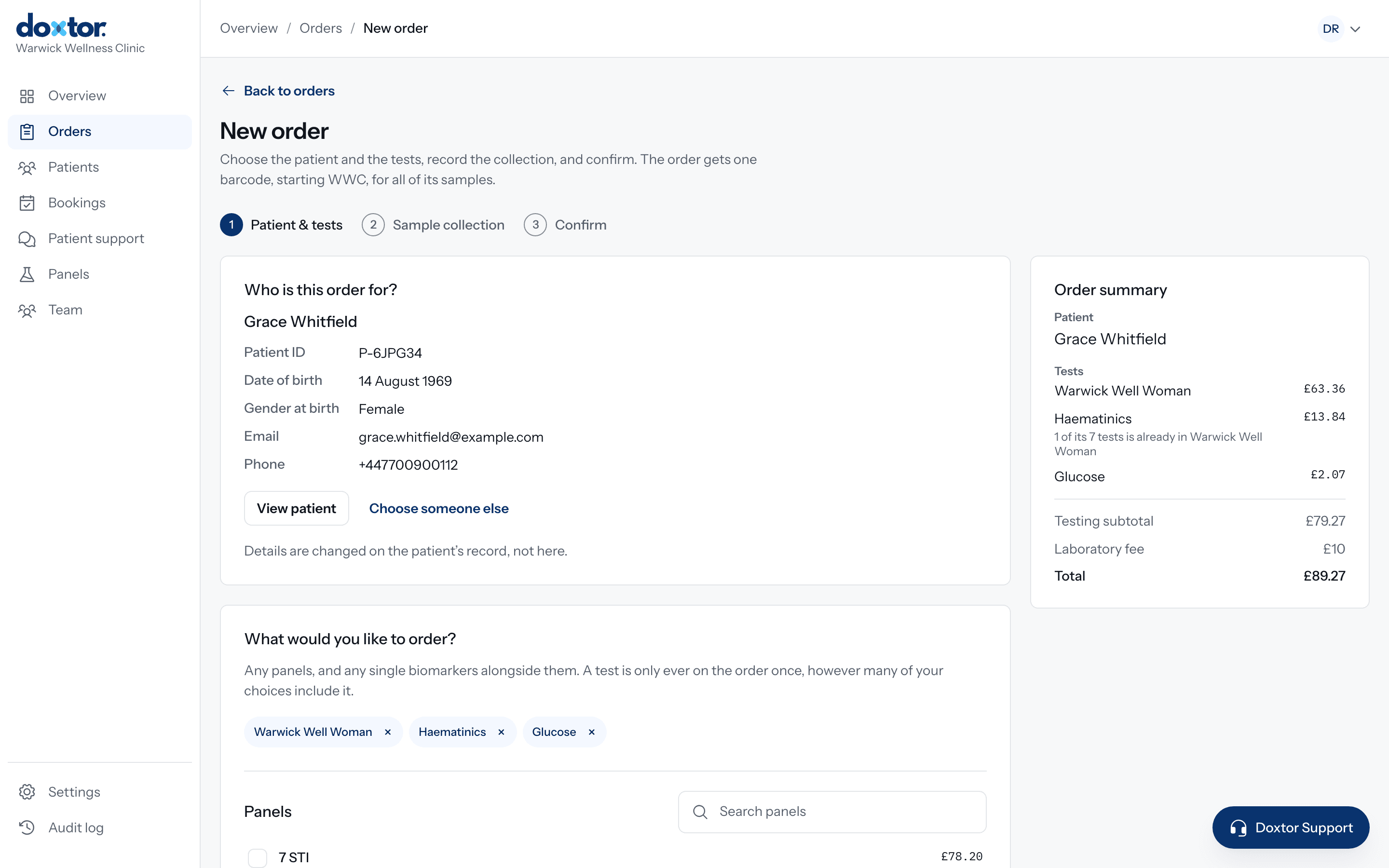
Create an order
Choose the patient, then the tests: your clinic's own panels, the laboratory's panels, biomarker groups or single biomarkers. Doxtor removes anything already covered by another choice and shows the price before you place the order.
- Find a patient or add a new one without leaving the order
- Build panels of your own and order them in one click
- The price is worked out as you choose
Prepare the samples
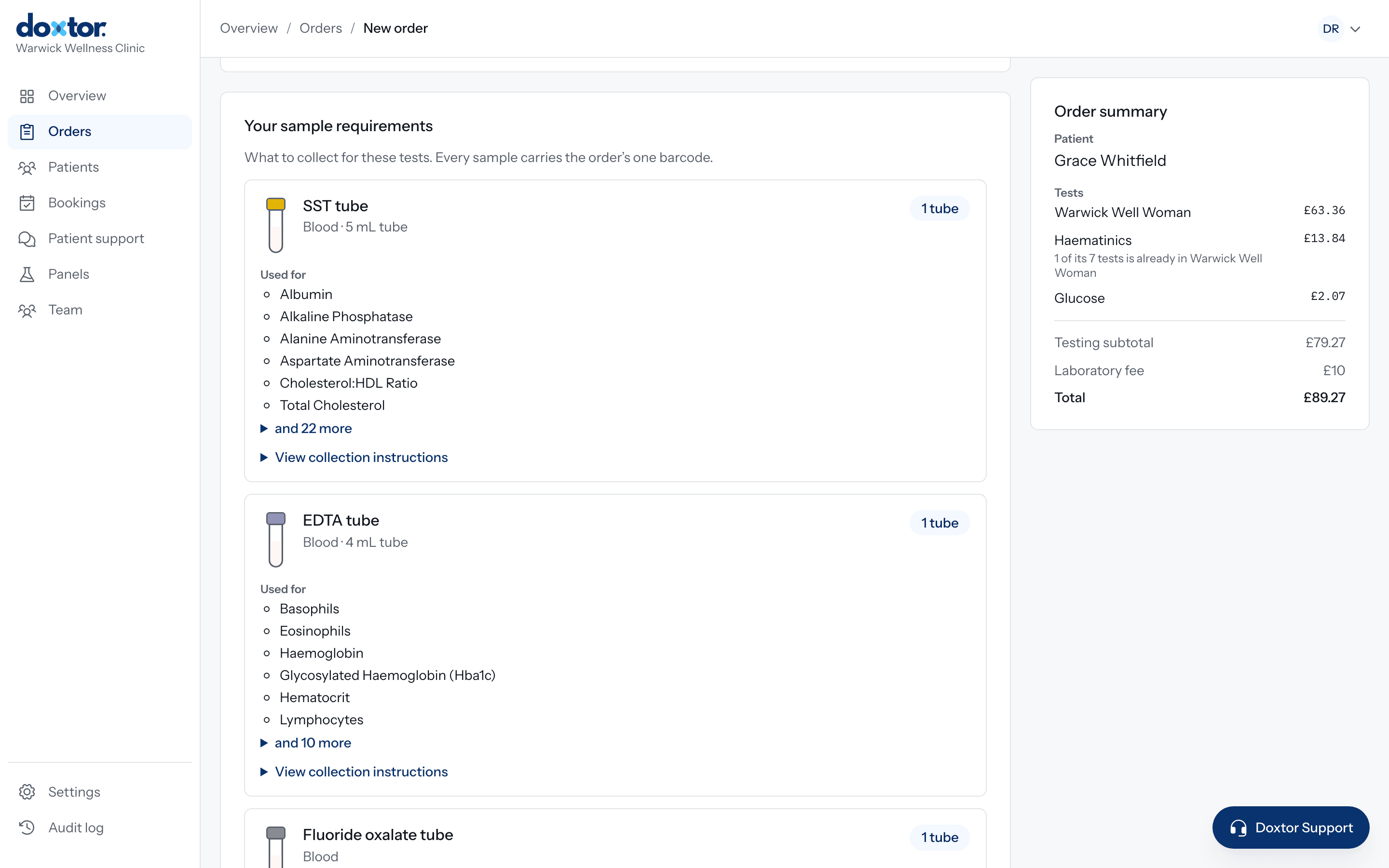
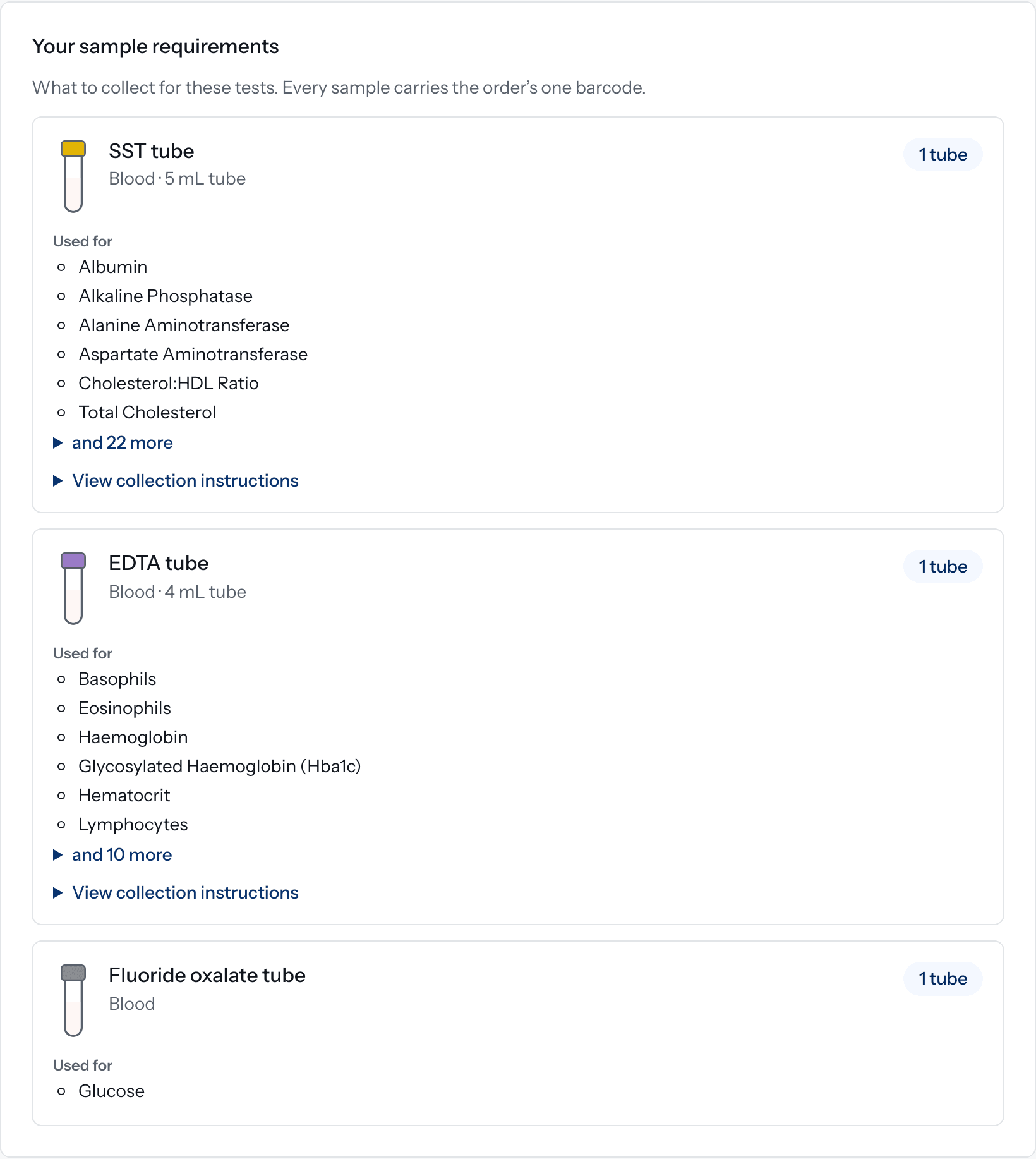
Doxtor works out what to collect from the tests on the order. One row for each tube or container: which kind, how many, and which tests it is for. Your team does not need to know which tests share a tube.
- Tubes listed in the order of draw, with their cap colour
- Volumes shown where the laboratory has confirmed them, never guessed
- Collection instructions and videos where they apply
- A clear warning if a test's requirement is not known, before anyone collects
- SSTSerum
- EDTAWhole blood
- Fluoride oxalateGlucose
- CitrateFill to the line
Send to the laboratory
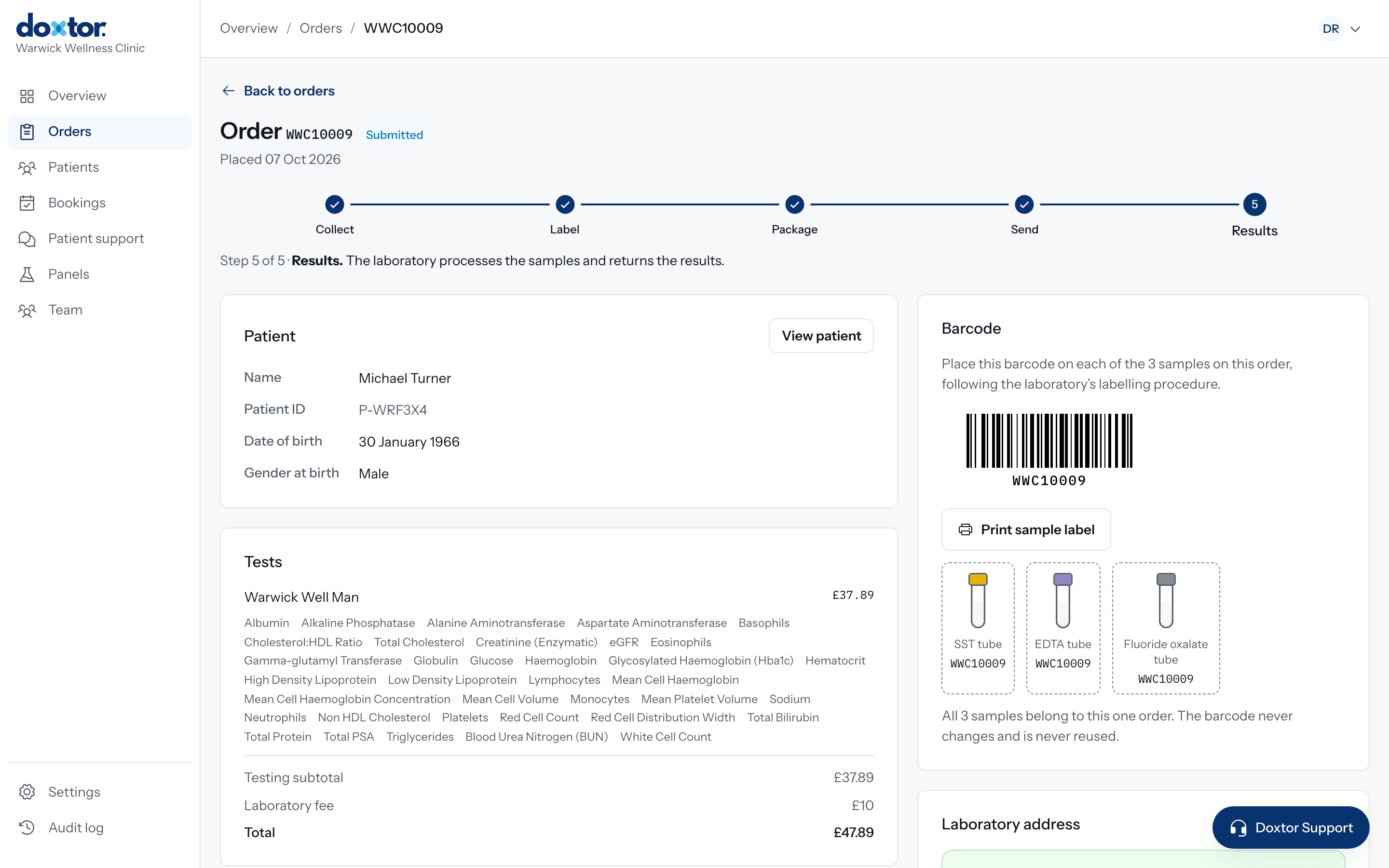
Placing the order issues one barcode and sends the order to the laboratory electronically. Print a label for every sample, package them as the laboratory asks, and mark them as sent. The order shows where its samples are at every stage.
- Collect, label, package, send and results, tracked on the order
- The laboratory's address and packaging instructions on every order
- A reminder to your team if collected samples have not been sent
- Confirmation when the laboratory receives the samples
Receive results
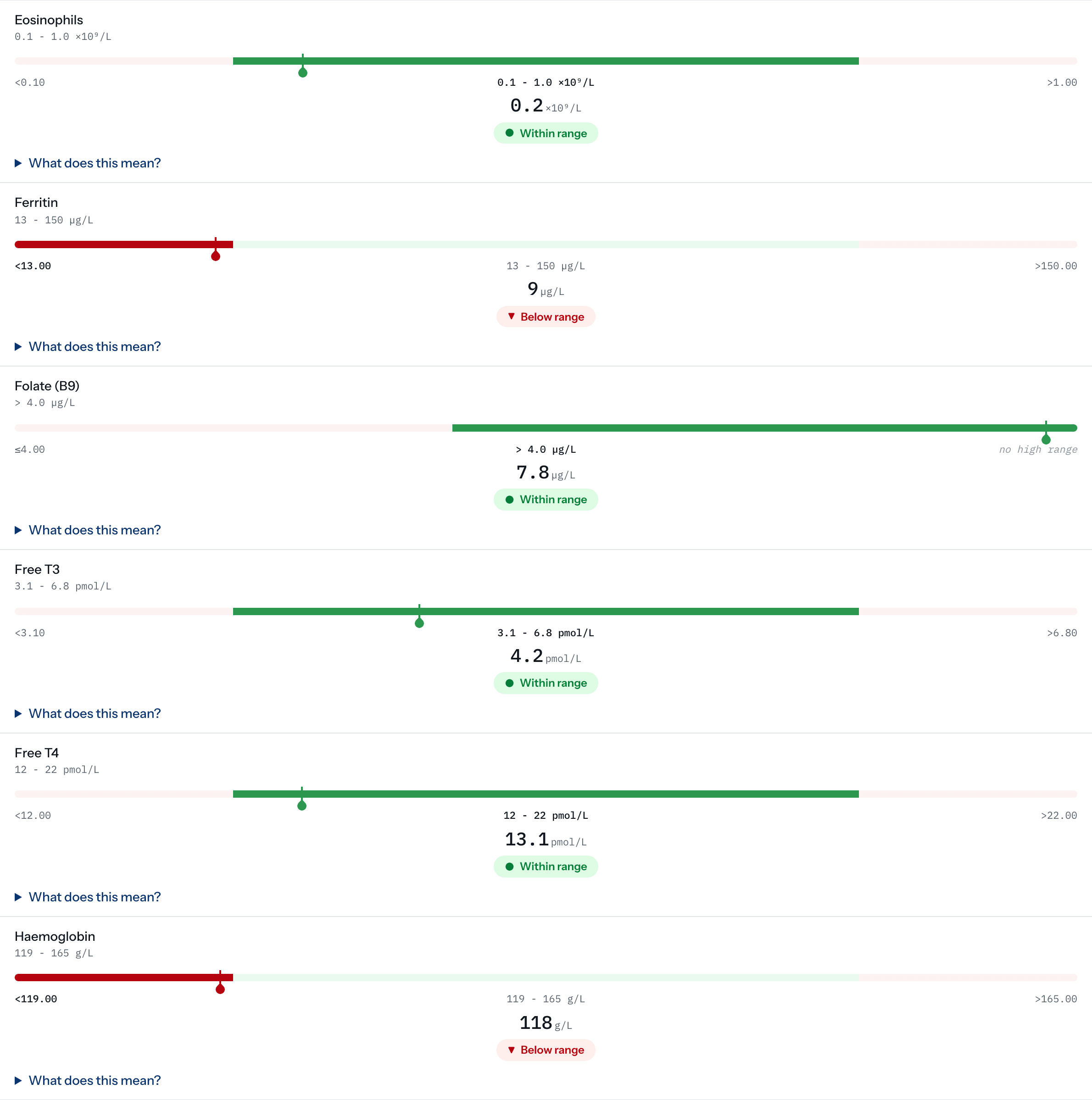
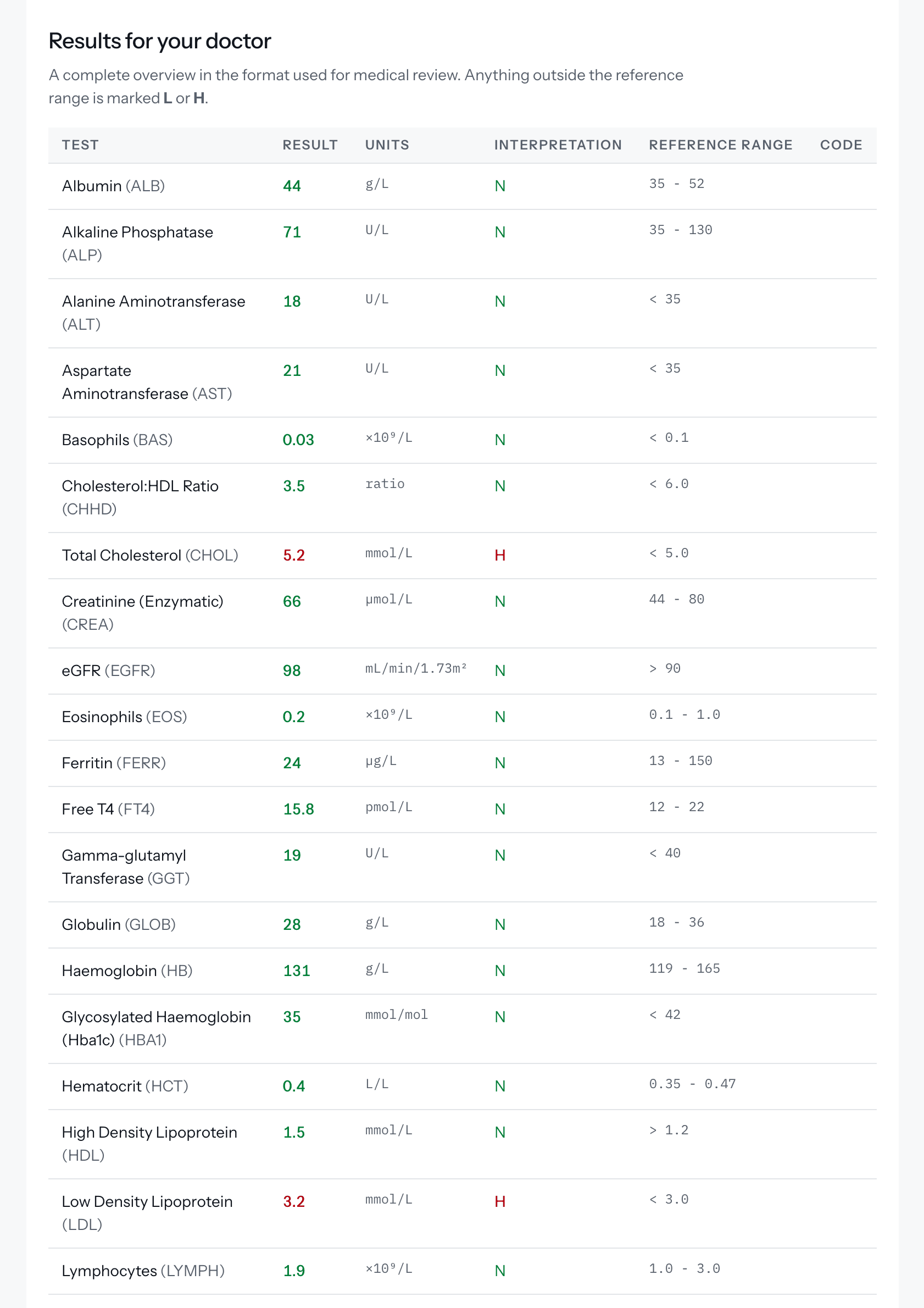
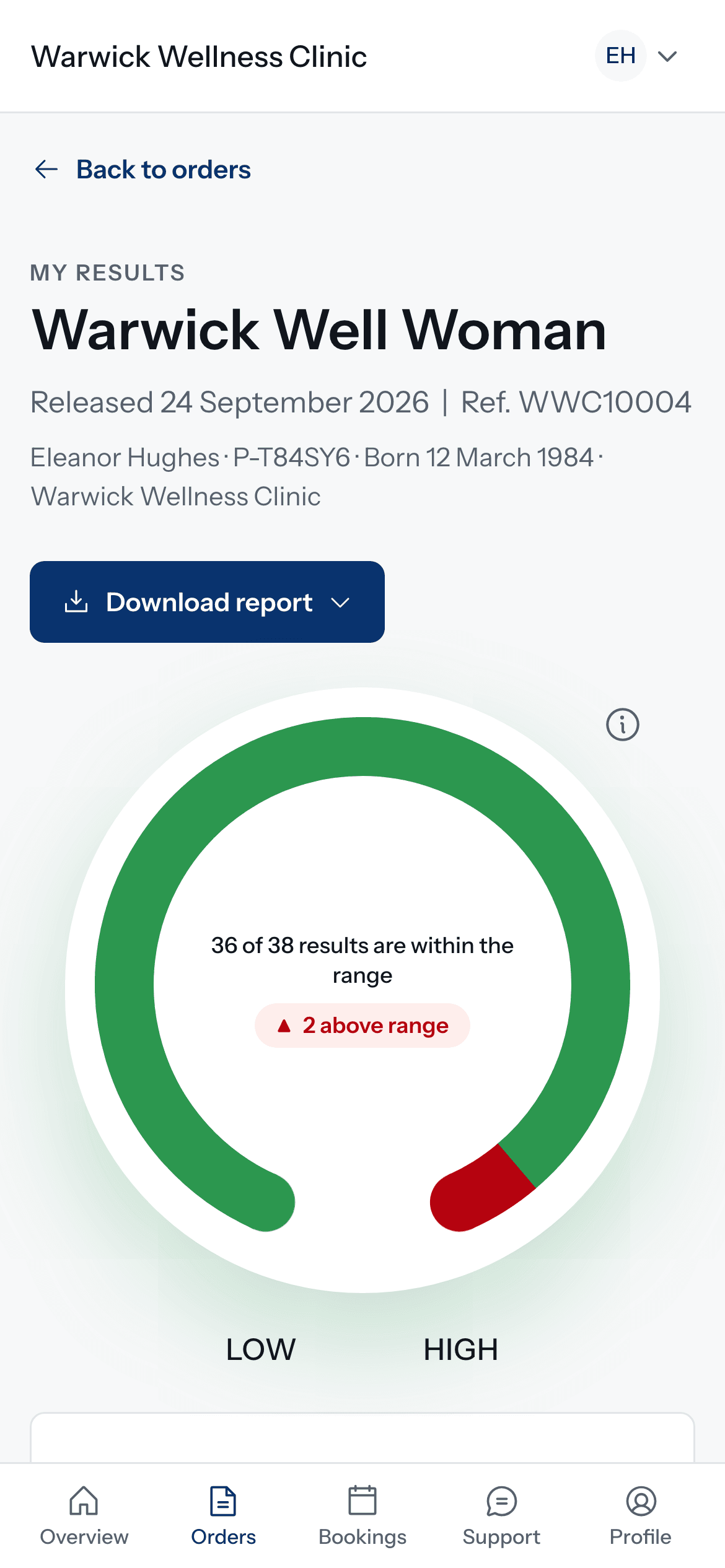
Results arrive from the laboratory straight onto the order: each biomarker with its result, unit and reference range, and where it sits in that range. Your team sees what is outside the range at a glance, and the report is released to the patient exactly as the laboratory sent it.
- Outside the range is shown with a label and a marker, never by colour alone
- A test the laboratory could not perform is shown as not performed, never left blank
- A critical result emails your team and stays at the top of the console until someone marks it seen
- If the laboratory corrects a result, the report is updated and the patient is told
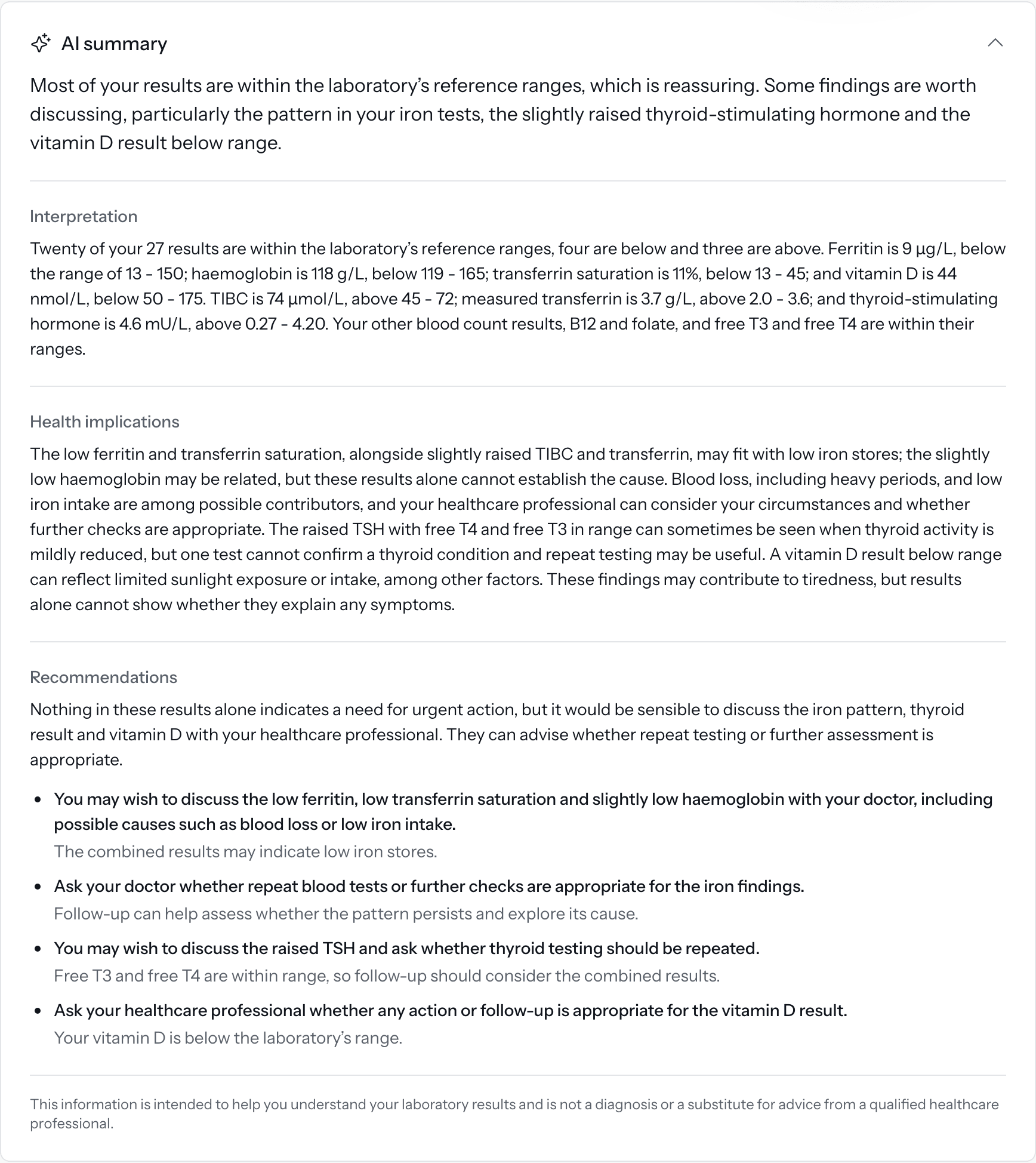
- On Doxtor Pro, an AI summary explains the results in plain English, for information only
Deliver results
Results reach the patient by a secure link that asks for their date of birth, with a report they can read and download. On Doxtor Pro, patients also have a portal in your clinic's branding, with their results over time.
- Patients are told when results are ready, by email or text message
- The same report PDF your clinic keeps on file
- Your logo and colour on reports, emails and the portal with Doxtor Pro
Common questions
Who collects the samples?
Your clinic does. Doxtor tells your team what to collect for each order, how to label it and where to send it. Doxtor does not send kits to patients' homes.
Where do the samples go?
To Doxtor's partner laboratory. The order reaches it electronically, its address and packaging instructions are on every order, and its results come straight back onto the order.
How are tests paid for?
Your clinic is invoiced once a week for the orders whose results were reported that week, one line per order.
Can we offer our own combinations of tests?
Yes. Build a panel once from the laboratory's panels and biomarkers, give it your own name and a description patients read, and reuse it on every order. Doxtor shows what the panel comes to as you build it. With Doxtor Pro, patients can book it from the portal. See custom panels.
What does a patient see when a result is outside the range?
The result, its reference range and a clear label saying it is outside the range, without alarm and without a diagnosis. The report points them to your clinic with questions.
Is the plain-English interpretation medical advice?
No. It is generated automatically from the results, labelled as being for information, and tells the patient to speak to your clinic or a healthcare professional. It is shown on Doxtor Pro.
Do patients need an account?
No. Every patient can open their results from a secure link that asks for their date of birth. With Doxtor Pro, patients can also have an account in your clinic's patient portal.
Make blood testing easier to manage
Bring orders, samples, laboratory results and patient reporting into one workflow.