Clinical resource · Understanding results
Reading a blood test report
The terms used in a blood test report, what a reference range is, and how a Doxtor report is laid out. Educational information, not clinical advice.
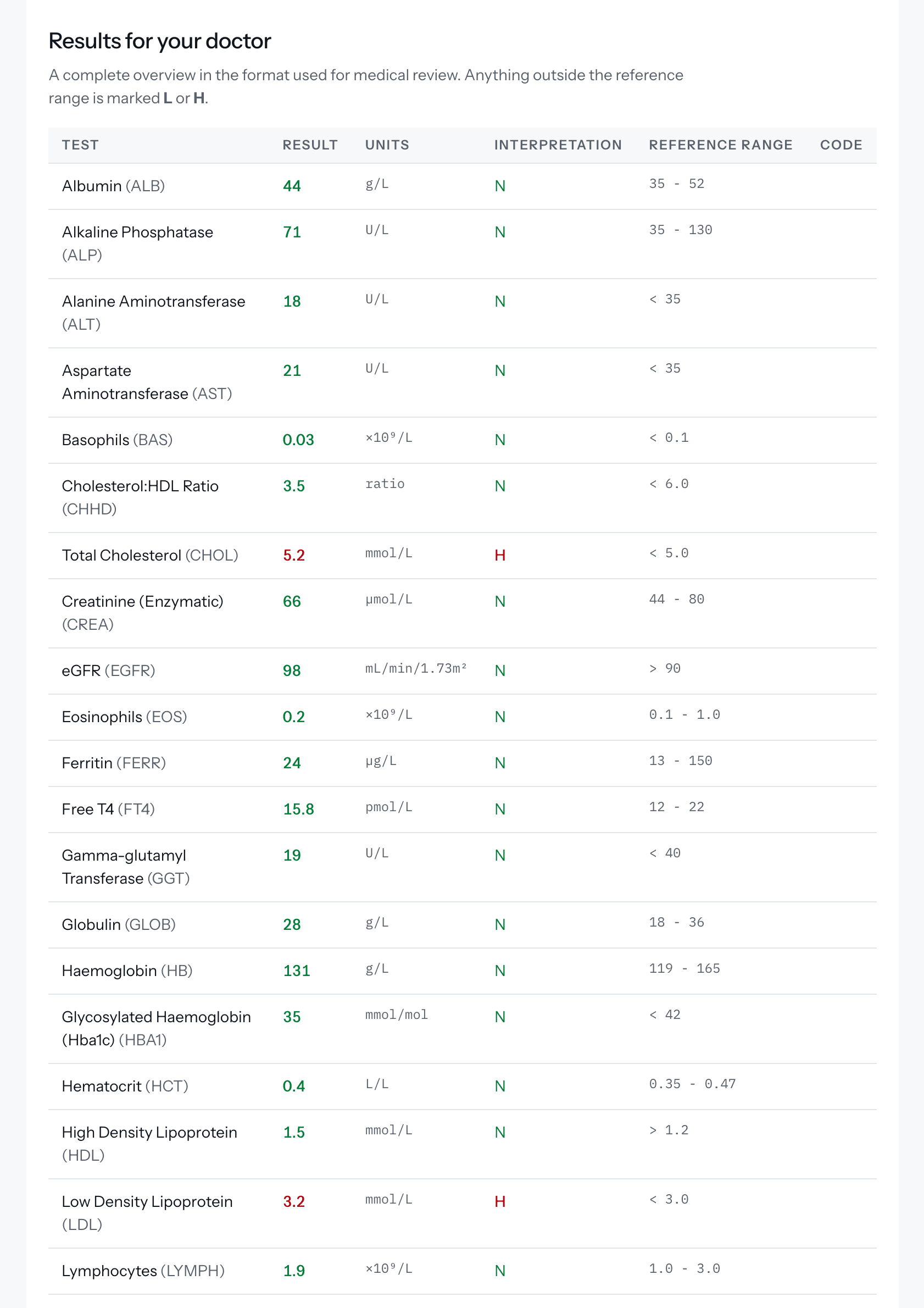
This resource explains the words and layout used in a blood test report produced through Doxtor. It describes how results are presented. It does not explain what any particular result means for a patient: that is for the clinic and its healthcare professionals.
The parts of a result
Each line of a report describes one biomarker, one thing the laboratory measured.
- Result. The value the laboratory reported.
- Unit. What the value is measured in. Two results can only be compared when they are in the same unit.
- Reference range. The range the laboratory reports alongside the result. Some ranges have only an upper or a lower limit, written as “< 5.0” or “> 1.2”.
- Interpretation. The laboratory’s own marker: N where the result is within the range, L below it and H above it.
- Code. The laboratory’s short code for the test.
Reference ranges belong to the laboratory
Reference ranges are the performing laboratory’s own and are not comparable between laboratories. A result outside the range is reported as outside the range. It is not, on its own, a diagnosis.
Results that are not a plain number
- Not performed. If the laboratory could not run a test, the report says so rather than leaving the line blank.
- Calculated results. Some results, such as eGFR or a cholesterol ratio, are worked out from other results on the same report rather than measured from a separate sample.
How a Doxtor report is laid out
- Cover. The clinic’s name, the patient’s name and the date the report was issued.
- Details. The order number, the patient’s details, when the sample was collected and when the report was produced.
- Results for your doctor. Every result in one table, in the format used for medical review, with anything outside the range marked L or H.
- Your results in detail. On Doxtor Pro, the full report adds a summary and each result explained and shown against its range.
Questions about a result
Patients with questions about their results should contact the clinic that arranged the test. See who can explain my results.
Related resources
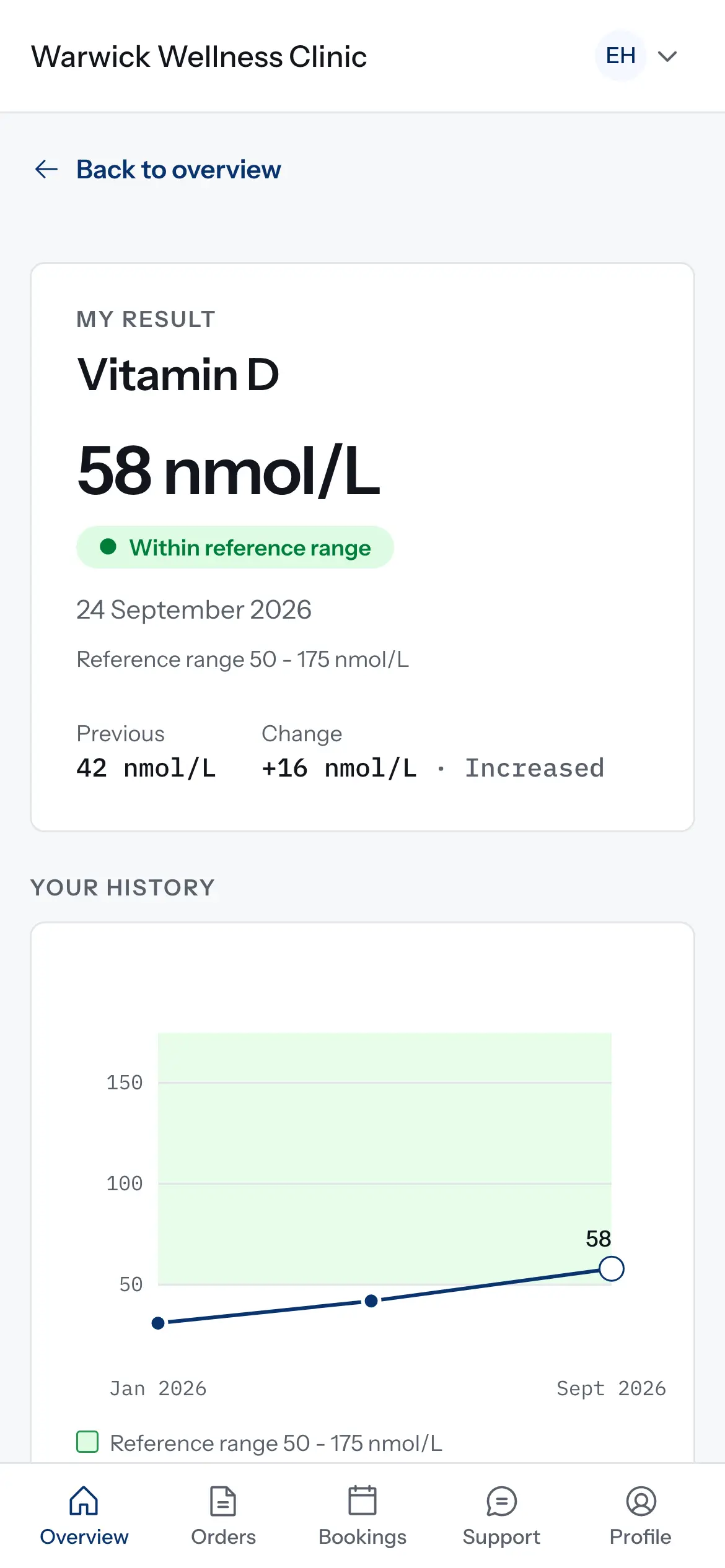
How results are compared over time
How the patient portal decides what counts as a change between two results, and why some results are shown but not charted. Educational information, not clinical advice.
1 min read
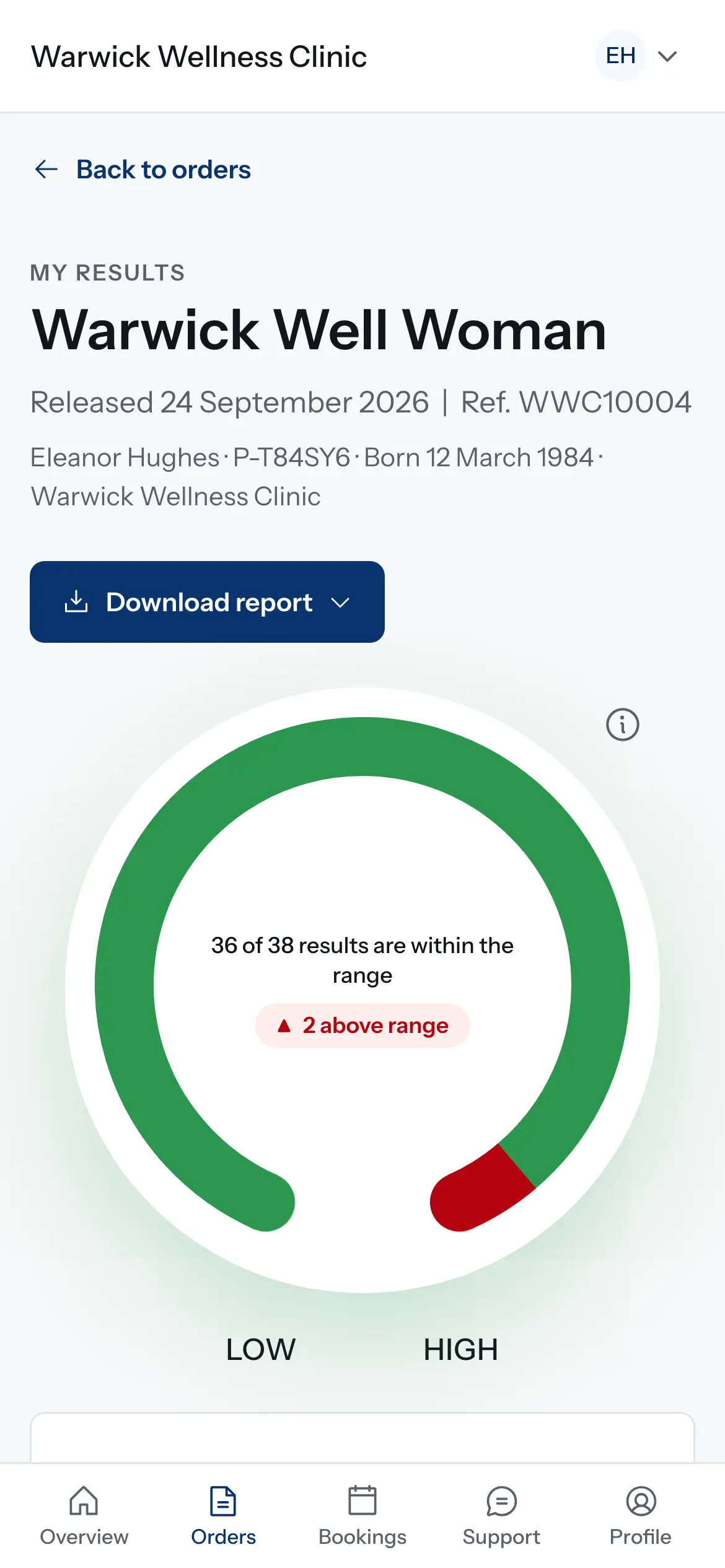
How results reach your patients
What happens when the laboratory reports: results on the order, the patient told, a secure link or the patient portal, and what changes for critical results and corrections.
1 min read
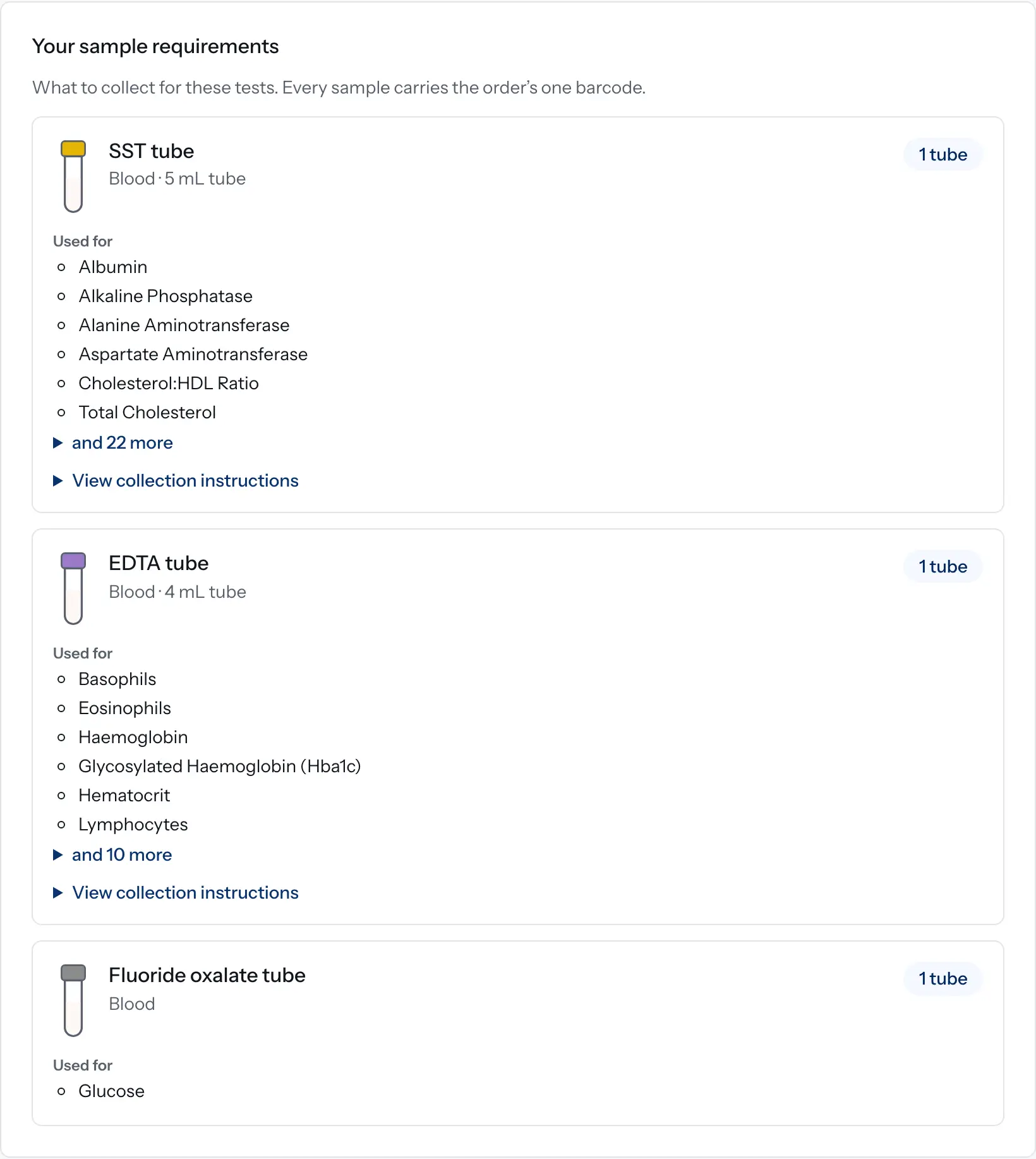
How sample requirements are worked out in Doxtor
How Doxtor turns the tests on an order into a list of tubes and containers to collect, and when it shows a volume. Educational information, not clinical advice.
2 min read