Everything around a blood test, in one console
Doxtor is the console your team uses to order tests, prepare samples, follow them to the laboratory and see results come back, and the report and portal your patients see at the end.
Test and order management
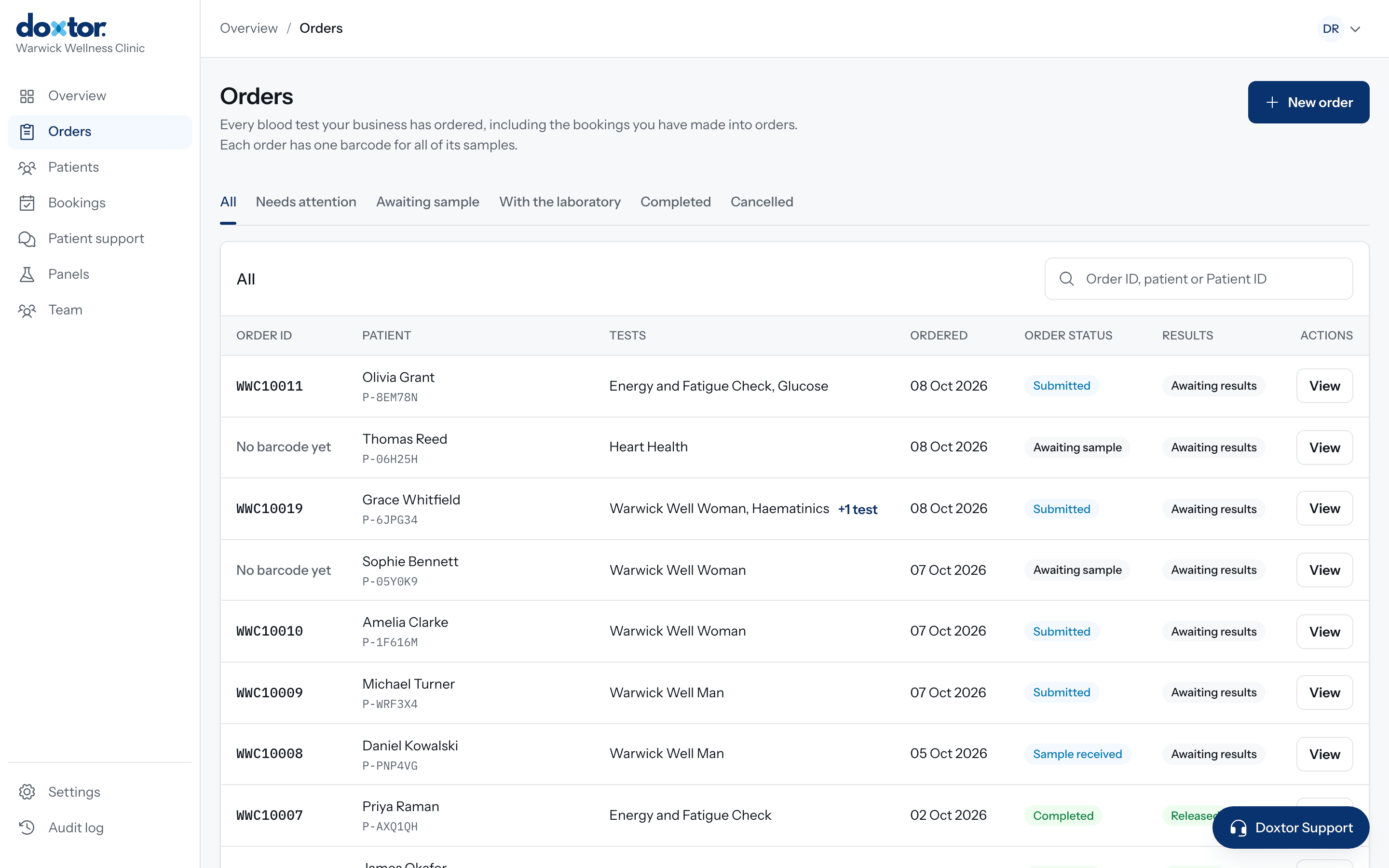
Orders in a minute, with nothing left to look up
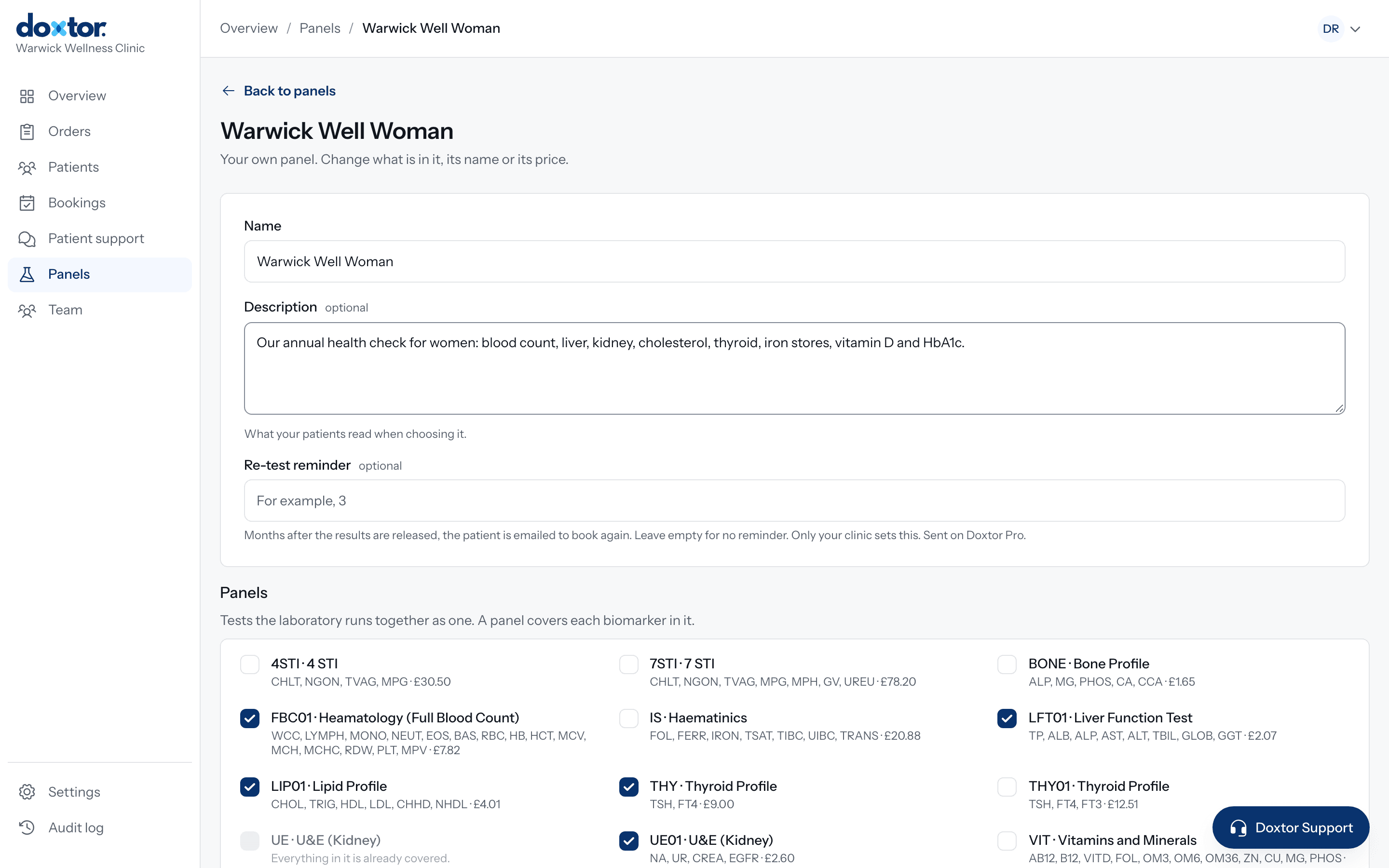
Place an order from the patient's record or from a blank order. Choose tests the way your clinic sells them, see the price as you go, and confirm. Doxtor issues the barcode and sends the order to the laboratory.
- Your own panels alongside the laboratory's panels and single biomarkers
- Overlapping tests removed for you, so nothing is ordered twice
- Save an order to collect later, or record the collection there and then
- Every order's status, from awaiting collection to results released, in one list
Custom panels
Build your panels once, use them on every order
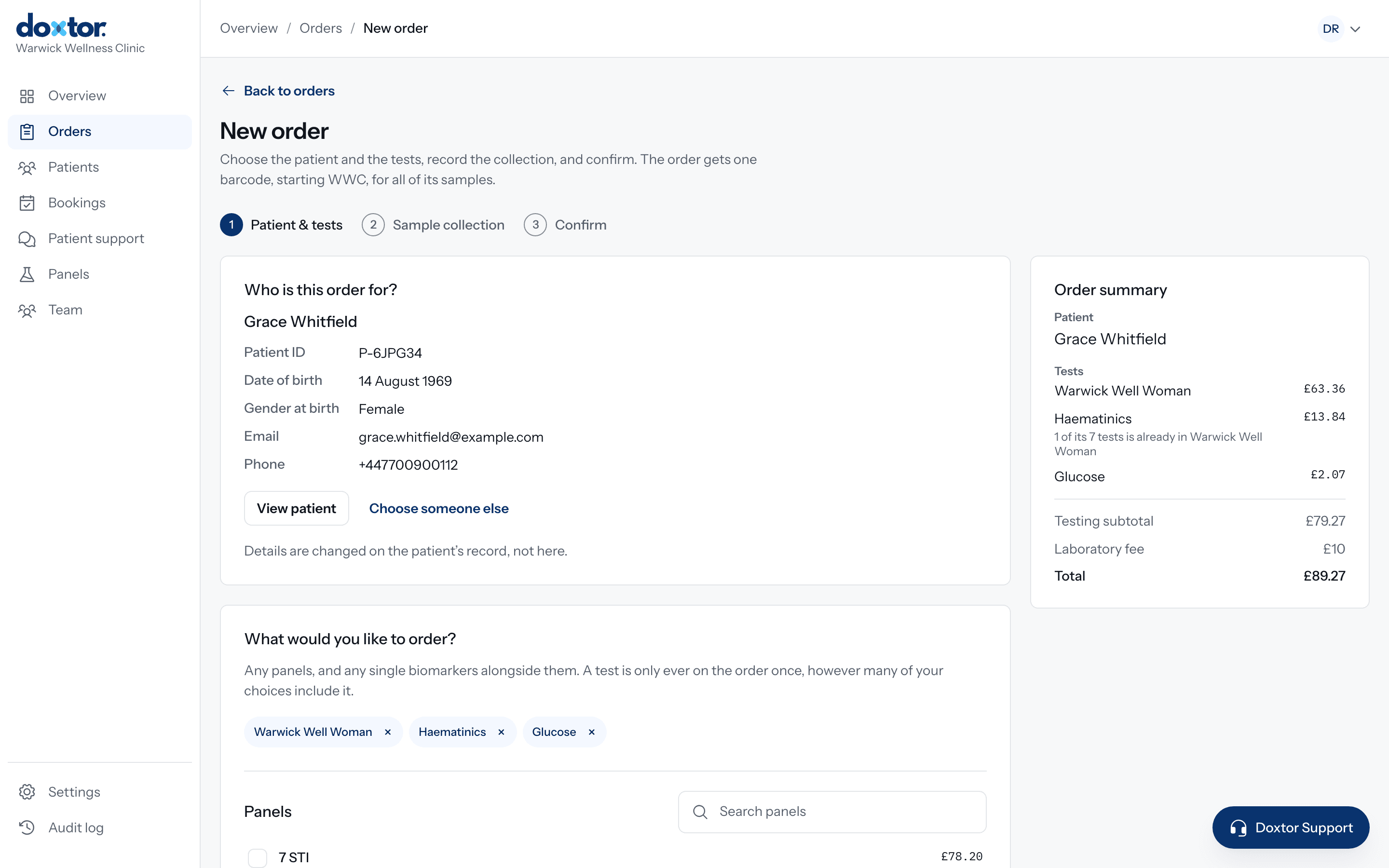
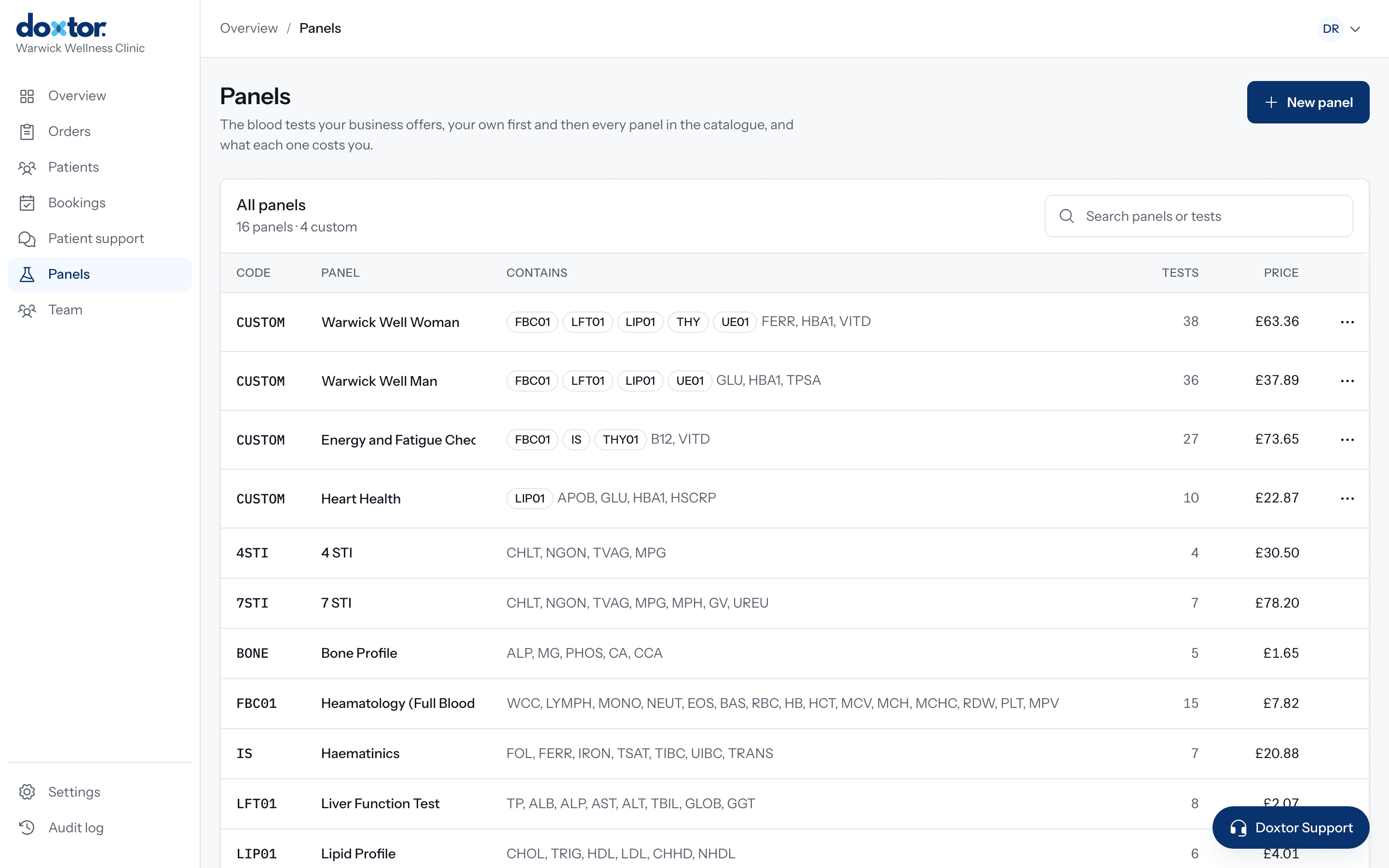
Most clinics sell the same few combinations of tests. Put each one together once, as a panel with your clinic's name for it, and it is ready on every order from then on. Change what is in it or its name whenever you need to.
- Built from the laboratory's panels and single biomarkers; anything already covered is shown as covered
- Your name for it and a description patients read when choosing it, with what the panel comes to shown as you build it
- Ordered in one click, as often as you like, alongside any other test
- Offered to patients in the portal for booking, with Doxtor Pro
- An optional re-test reminder in months: with Doxtor Pro, the patient is emailed to book again
Sample preparation
Exactly what to collect, tube by tube
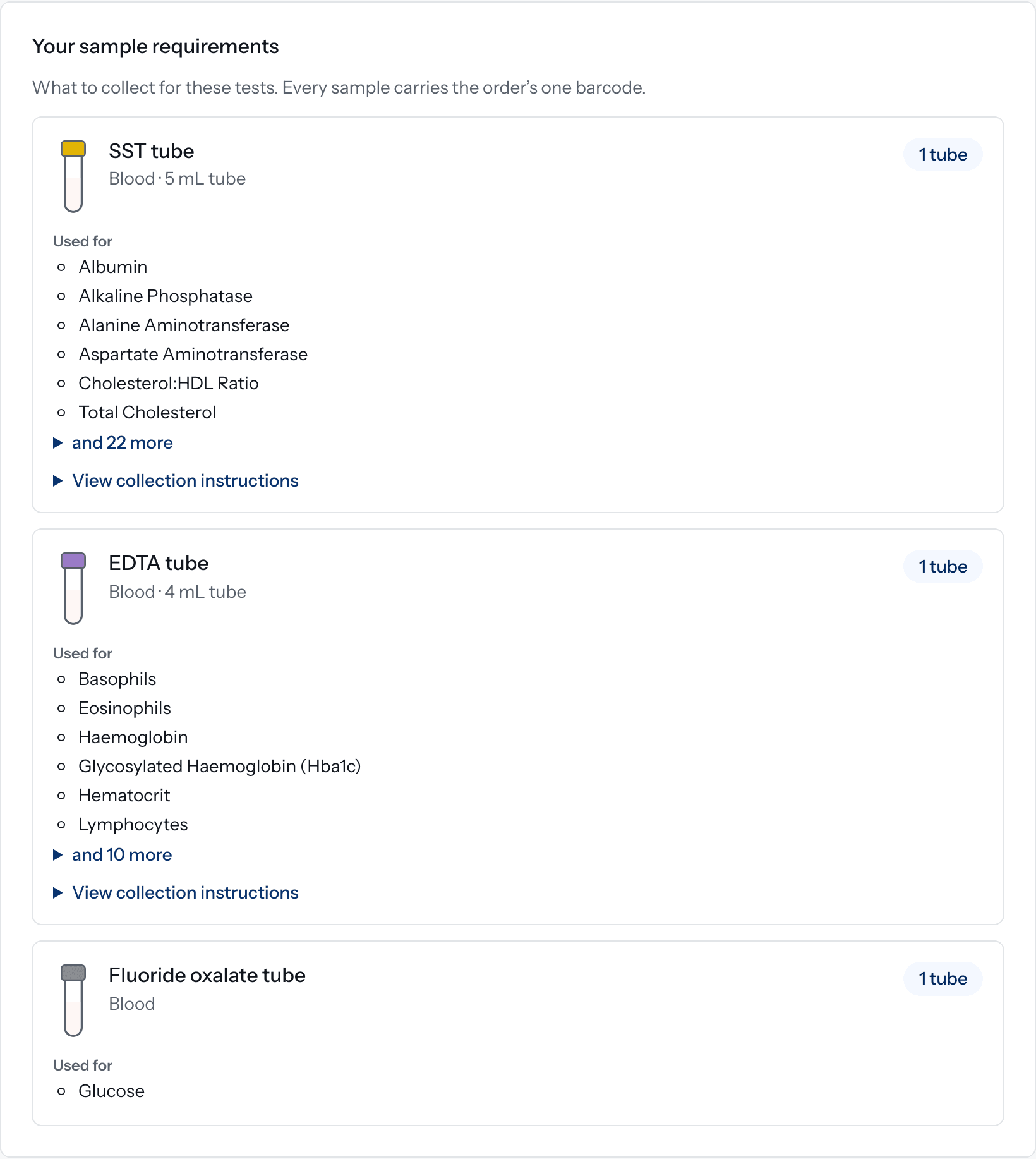
The tests on an order decide the samples. Doxtor groups them by tube type, counts the tubes and lists them in the order of draw, so a team member who collects blood but is not a laboratory specialist knows exactly what to do.
- SSTSerum
- EDTAWhole blood
- Fluoride oxalateGlucose
- CitrateFill to the line
- One row per tube or container, with how many and what for
- Volumes only where the laboratory has confirmed them
- Tests collected more than once, such as a glucose tolerance test, get a tube for each collection
- Collection instructions and videos, played inside Doxtor
Barcodes and laboratory workflow
Every sample tied to its order, all the way to the laboratory
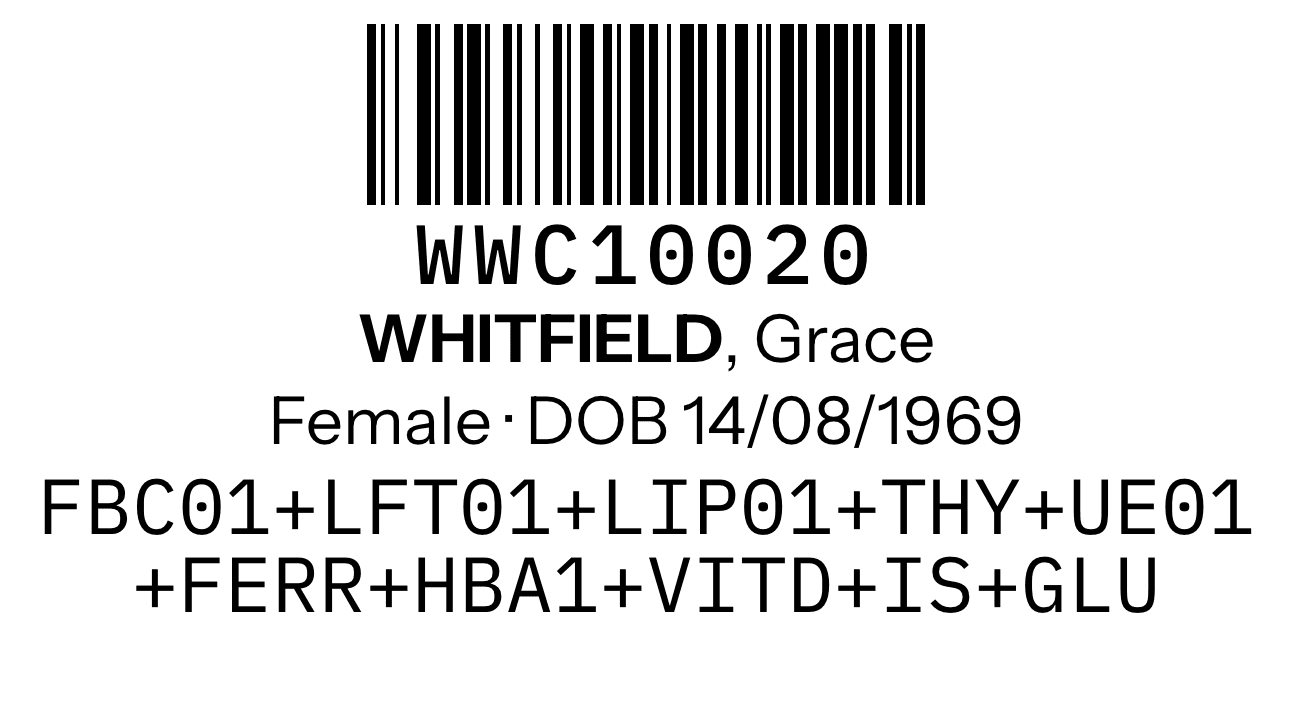
The barcode on every tube is the order's own number, so a sample can never drift away from its patient. The order page shows where the samples are, and the laboratory's own updates arrive on it automatically.
- One barcode per order, printed once for each sample
- Collect, label, package, send and results shown on every order
- The laboratory's address and packaging instructions where you need them
- Reminders when collected samples have not been marked as sent
- Receipt confirmed when the laboratory has the samples

Results
Results your team can read in seconds
When the laboratory reports, the results land on the order and on the patient's record, and the patient is told their results are ready. The report is released exactly as the laboratory sent it, so nobody is kept waiting.
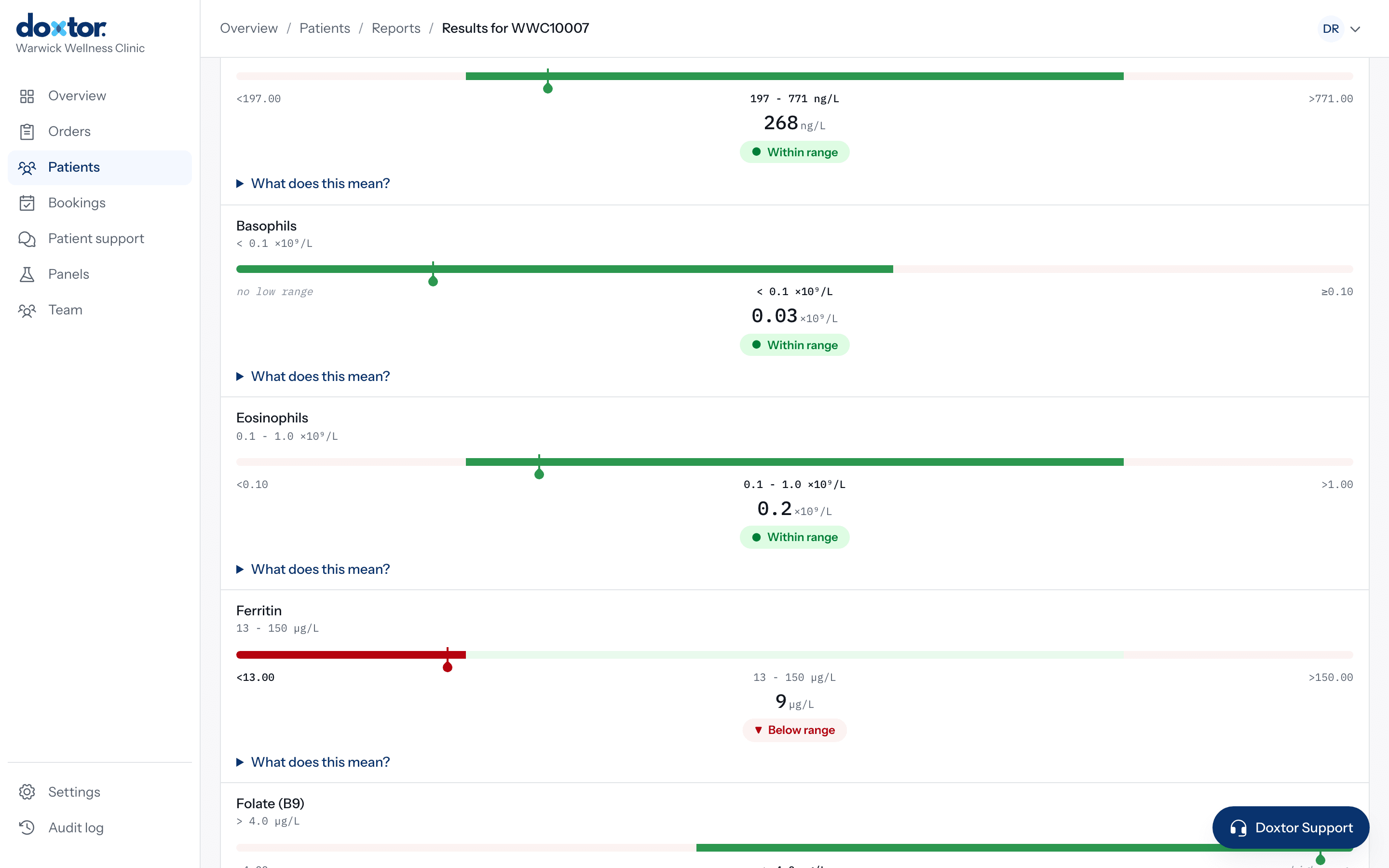
- Biomarker, result, unit and reference range, with the laboratory's flags
- Outside the range marked with a label and a position on the range, never by colour alone
- Results the laboratory could not perform shown as not performed
- Critical results emailed to your team and kept at the top of the console until marked seen
- Each result compared with the patient's previous one
Branded reports
A report your patients can read, with your clinic's name on it
Every set of results becomes a report, laid out for a patient to understand and for a GP to scan. With Doxtor Pro it carries your logo and colour from the first page to the last.
- Results at a glance
- How many results are within the range and which are outside it, before any detail.
- Every result in context
- Each biomarker with its result, unit and reference range, and where the result sits.
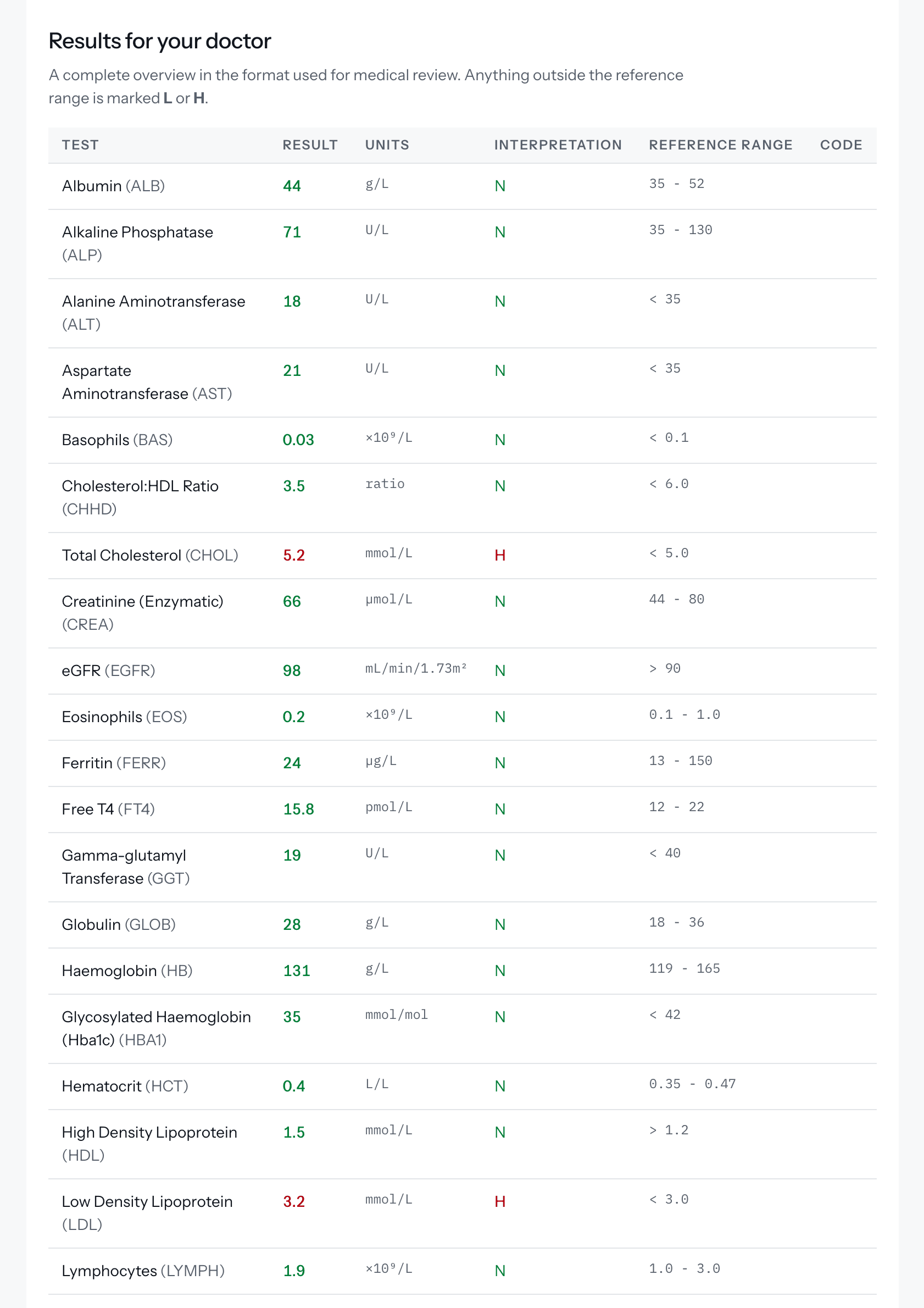
- A table for the GP
- All results on one page, for a patient to take to their doctor.
- Explained in plain English
- On Doxtor Pro, an interpretation generated automatically from the results. It is for information, says so, and points the patient to a healthcare professional with questions.

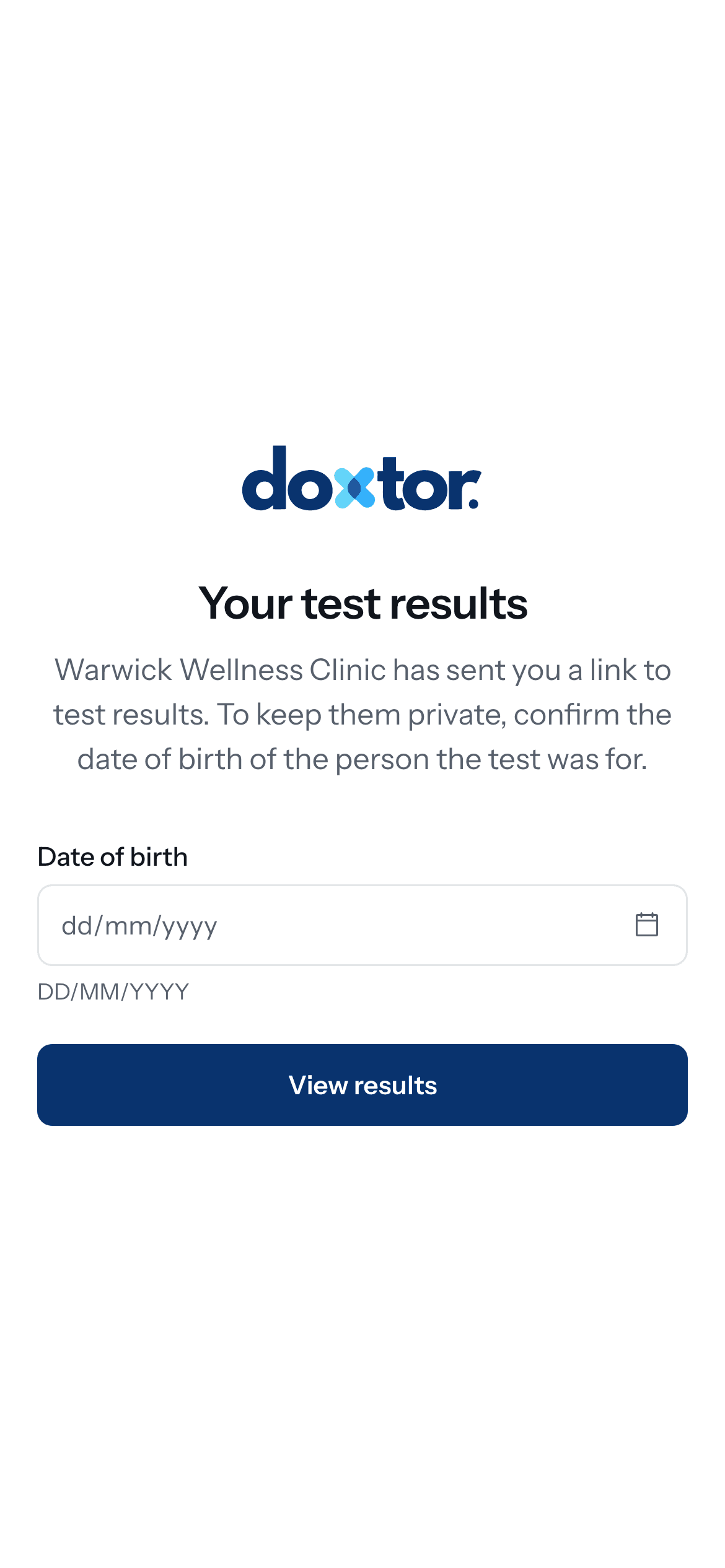
Patient portal · Doxtor Pro
A patient portal in your clinic's name
Patients sign in with a code sent to their email and see their results as your clinic presents them. Clinical colours never change with a clinic's brand, so a result outside the range always looks the same.
- Results over time for each biomarker, compared like for like
- Every report, ready to download
- Family and carer access for the people a patient looks after
- Bookings, from your clinic's own calendar
- Messages to your clinic, from inside the portal
- Your logo and colour on the portal, reports and emails, at your clinic's own web address
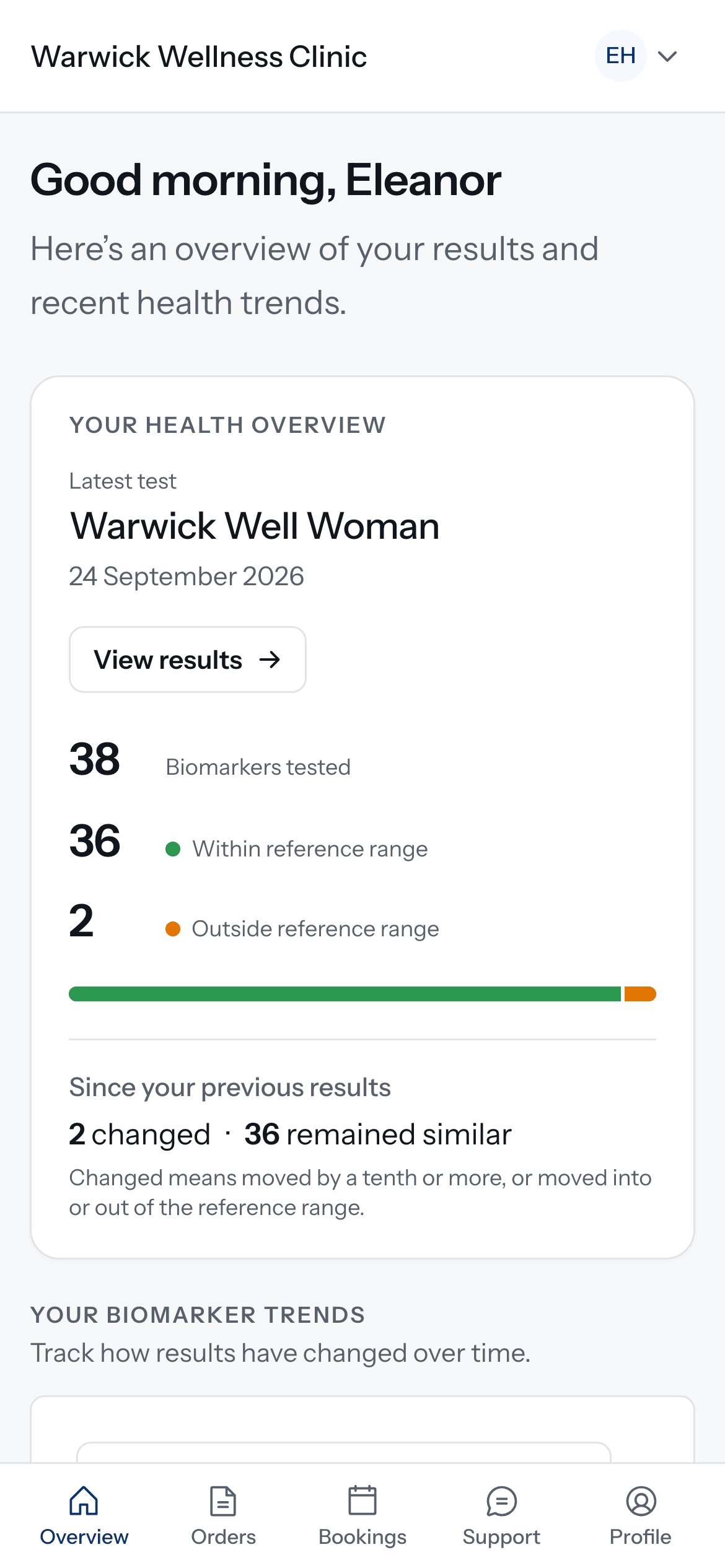
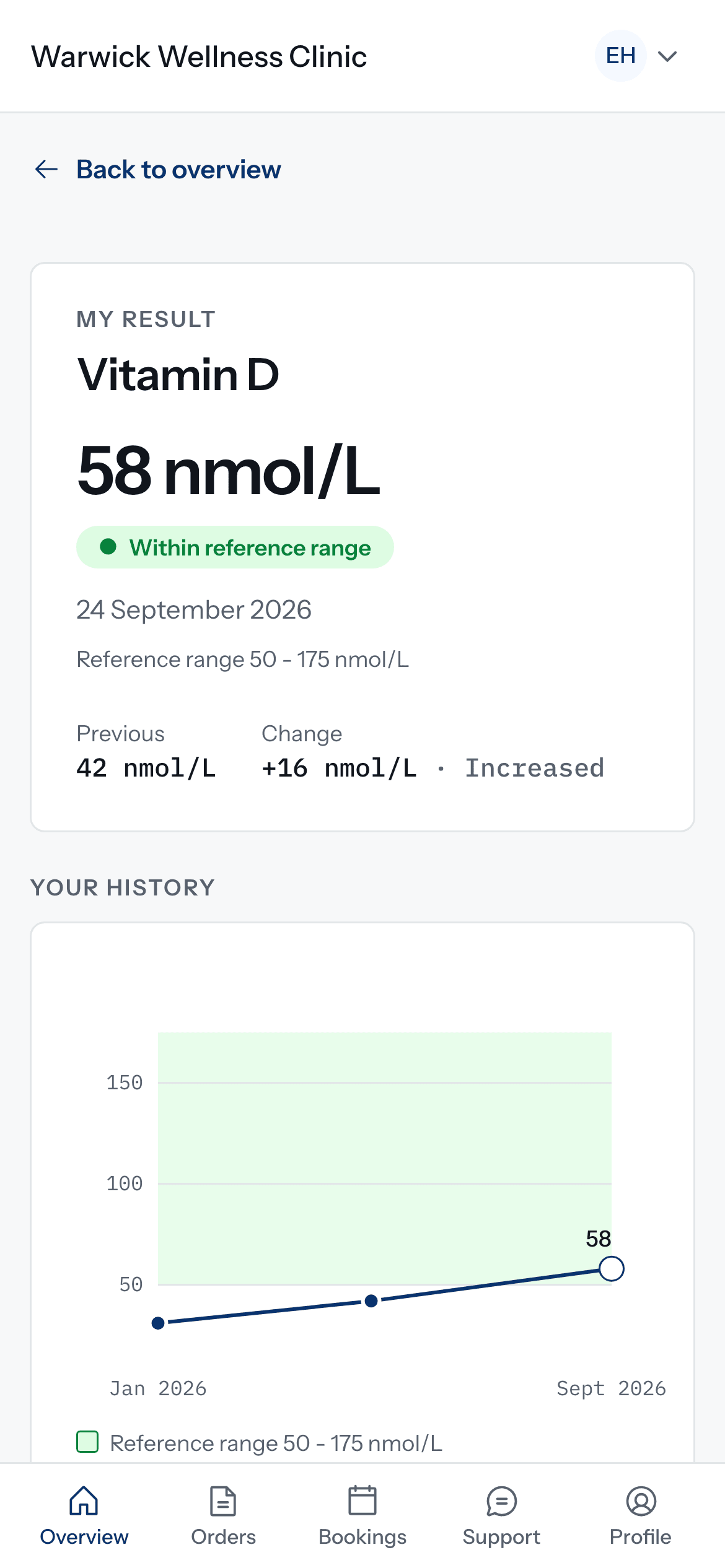
Bookings · Doxtor Pro
Patients book a test, you see it in your calendar
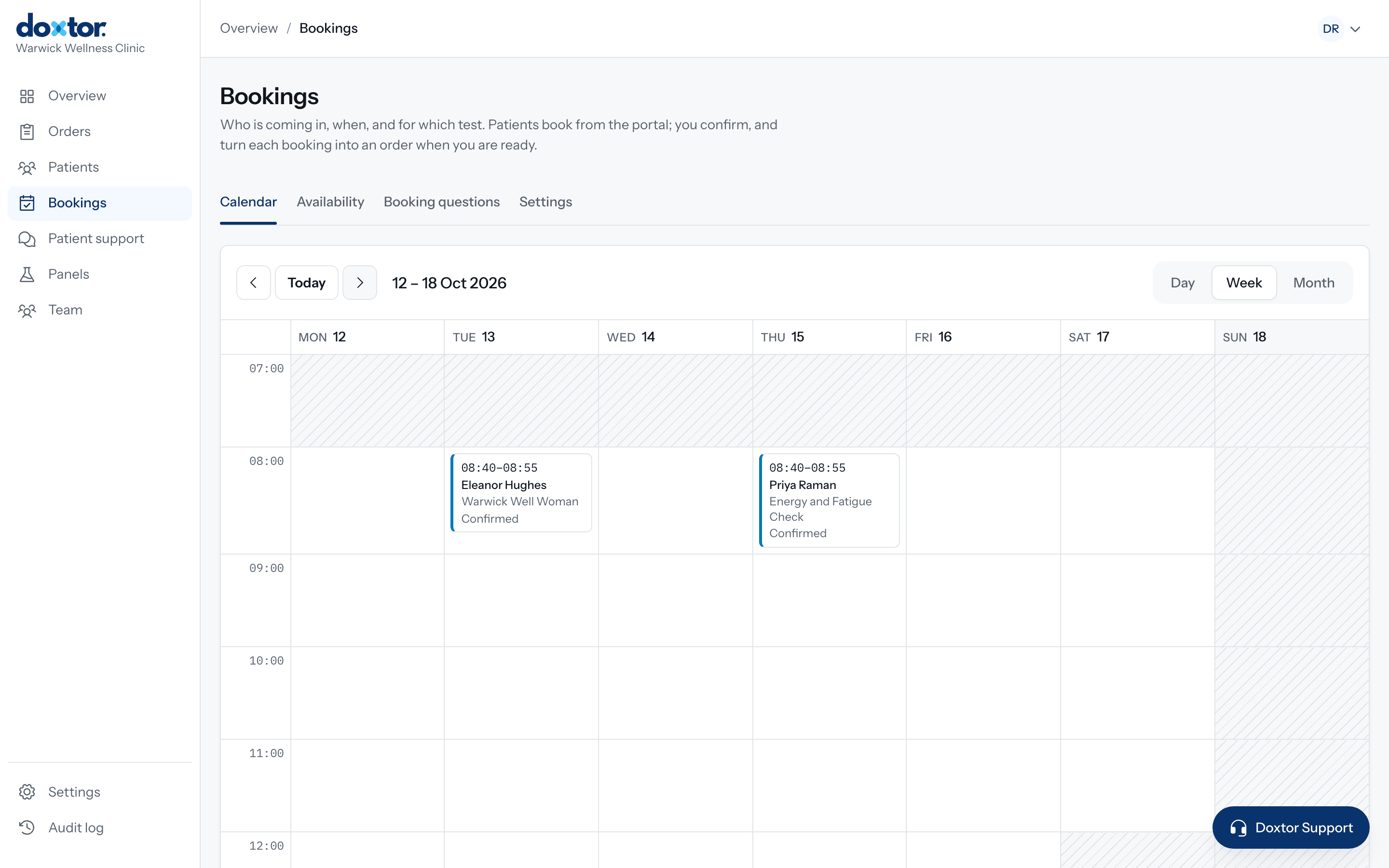
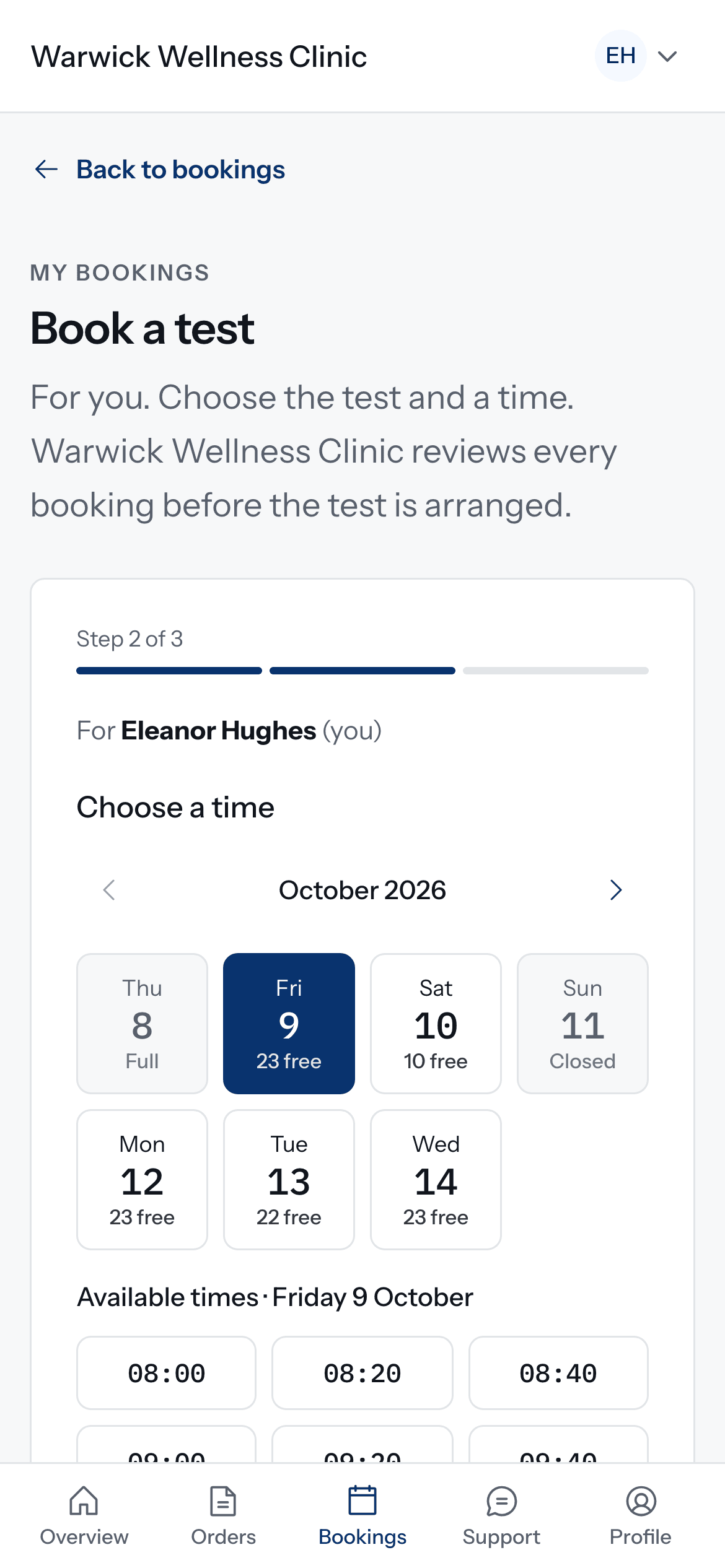
Every booking request lands in a day, week or month calendar in the console. Nothing reaches the laboratory until your team confirms it and turns it into an order, so the clinic stays in charge of every appointment.
- Patients choose one of your panels, then a free time from your opening hours
- Appointment length, places per time, a daily limit, minimum notice and closed dates, all yours to set
- Your own questions, asked as part of the booking
- Confirm or decline each request, then turn it into an order in one step
- Emails to the patient when they book and when you confirm or decline
Two plans, one workflow
Every clinic gets the full blood testing workflow. Doxtor Pro puts your clinic's own brand in front of patients and adds the patient portal. Tests are invoiced weekly, per order, on either plan.
| Feature | Doxtor FreeEverything a clinic needs to run its blood testing | Doxtor ProYour clinic's own brand, from first email to final report |
|---|---|---|
| Ordering, results and reports | Included | Included |
| Patient records | Included | Included |
| Team accounts and roles | Included | Included |
| Patient portal | Not included | Your logo and colour |
| Family and carer access | Not included | Included |
| Bookings and re-test reminders | Not included | Included |
| Plain-English interpretation of results | Not included | Included |
| Blood test reports | Doxtor's branding | Your logo and colour |
| Emails to patients | From Doxtor, naming your clinic | From your clinic, in your brand |
| Web address | A Doxtor address | Your own domain |
Ask Doxtor about pricing for your clinic.
Talk to DoxtorMake blood testing easier to manage
Bring orders, samples, laboratory results and patient reporting into one workflow.