Clinical resource · Understanding results
How results are compared over time
How the patient portal decides what counts as a change between two results, and why some results are shown but not charted. Educational information, not clinical advice.
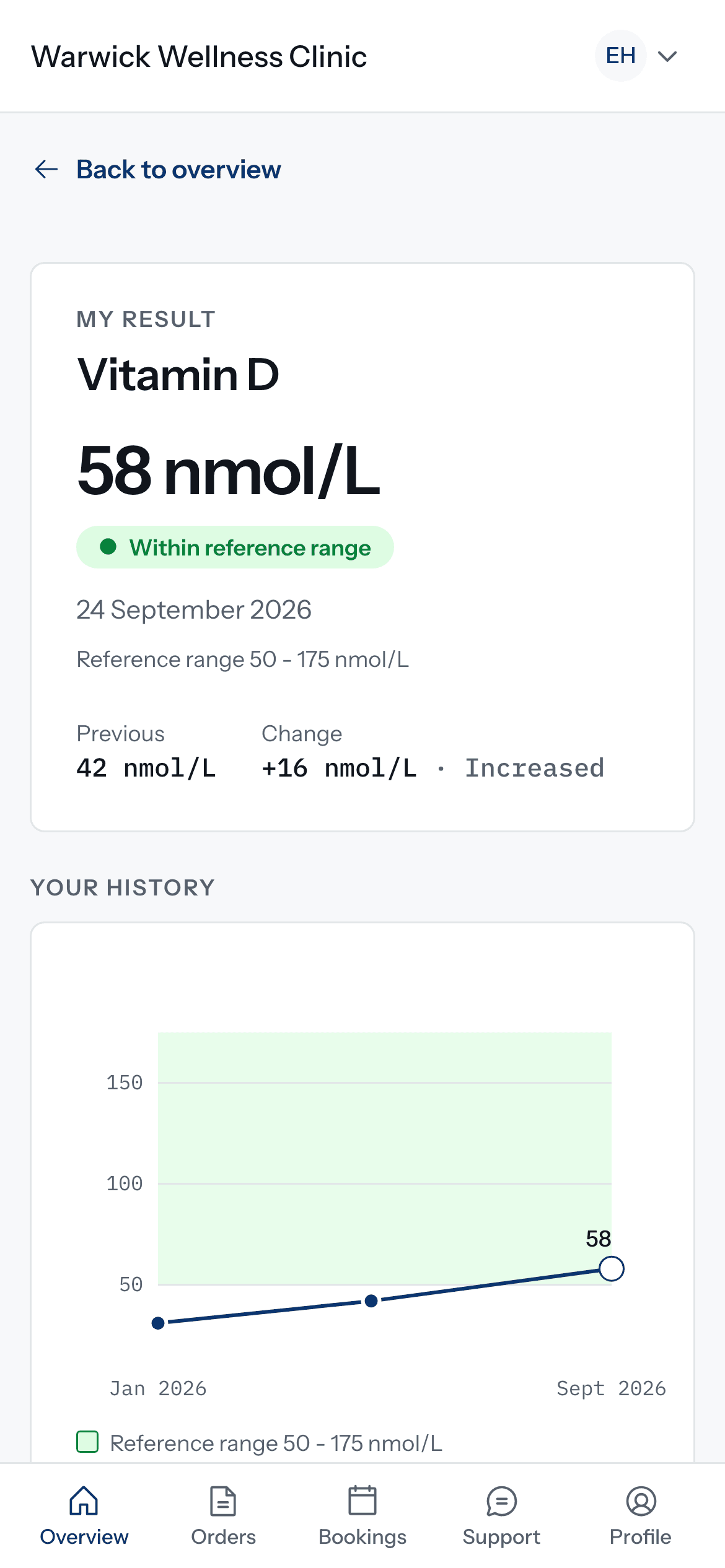
On Doxtor Pro, the patient portal shows how each biomarker has moved across a patient’s reports. This resource explains the rules behind that view. It describes how changes are presented, not what any change means for a patient’s health.
Where the history comes from
Every point comes from a released report. Nothing is estimated, smoothed or filled in between reports.
Comparing like with like
- The previous result is the most recent earlier result for the same biomarker, in any report.
- Units must match. Two results are compared only when they are in the same unit.
- Only plain numbers are charted. A result such as “<5”, or one the laboratory could not measure, is shown in the history but not drawn on the chart.
What counts as a change
A result is described as changed when it has moved by at least a tenth of the earlier value, or has moved into or out of the reference range by the laboratory’s own flag. Otherwise it is described as remained similar.
Direction is only ever increased, decreased or unchanged. Nothing is scored, graded or called better or worse.
Reference ranges on the chart
Where the laboratory reports a reference range, the chart shows it as a band behind the results. Reference ranges are the laboratory’s own and can differ between laboratories.
Questions about a change
A change between two results is not, on its own, a diagnosis. Patients with questions should contact the clinic that arranged their tests.
Related resources
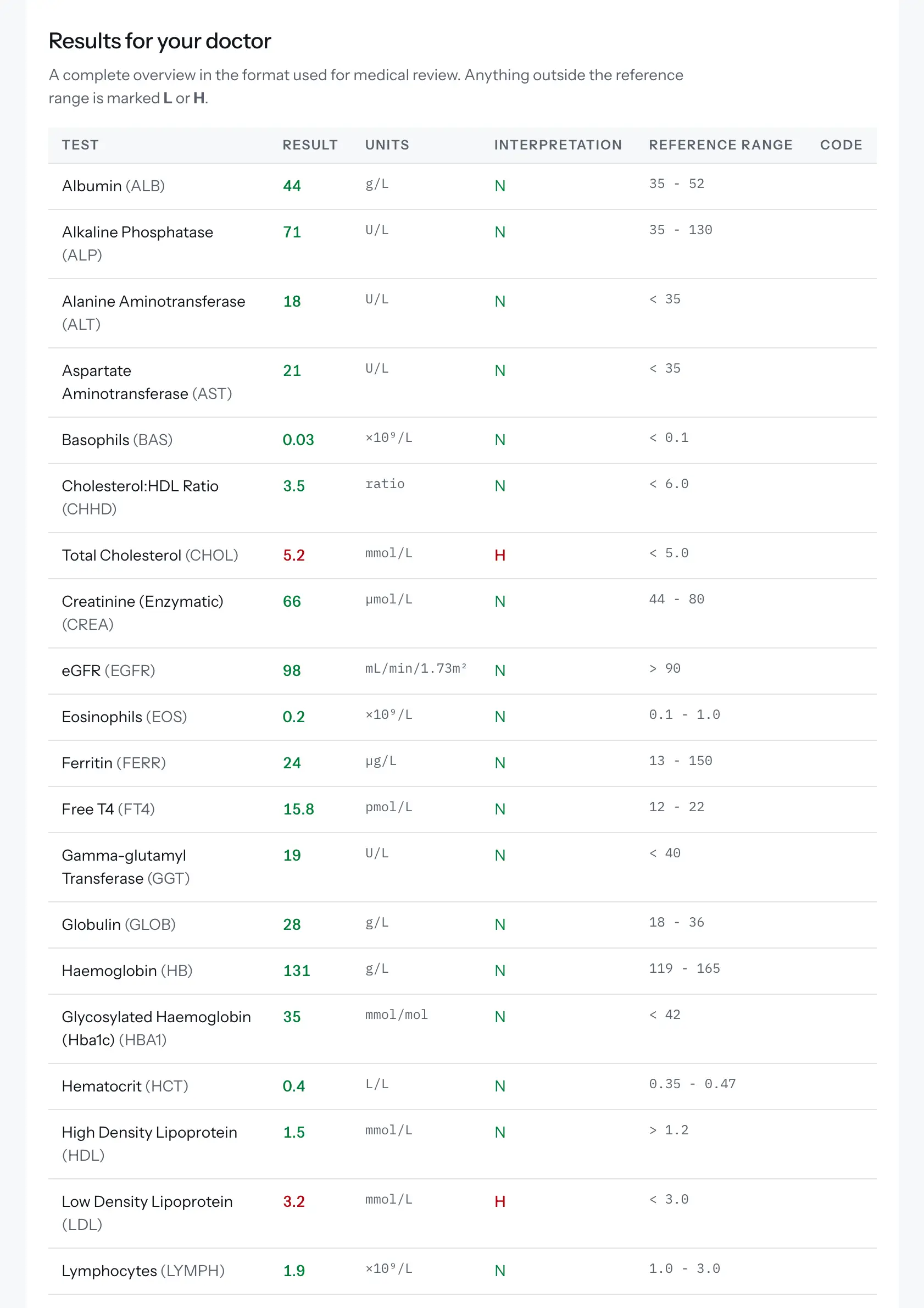
Reading a blood test report
The terms used in a blood test report, what a reference range is, and how a Doxtor report is laid out. Educational information, not clinical advice.
2 min read
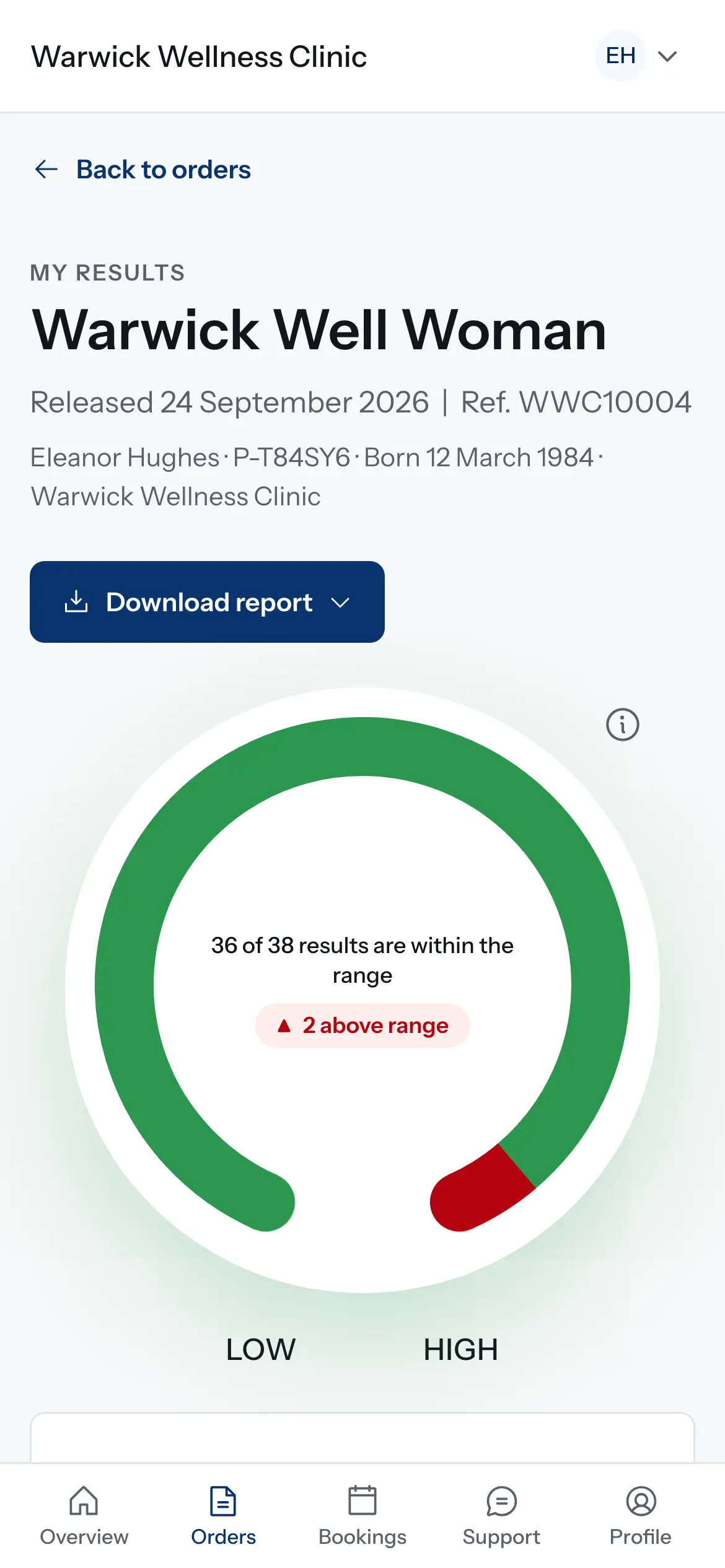
How results reach your patients
What happens when the laboratory reports: results on the order, the patient told, a secure link or the patient portal, and what changes for critical results and corrections.
1 min read
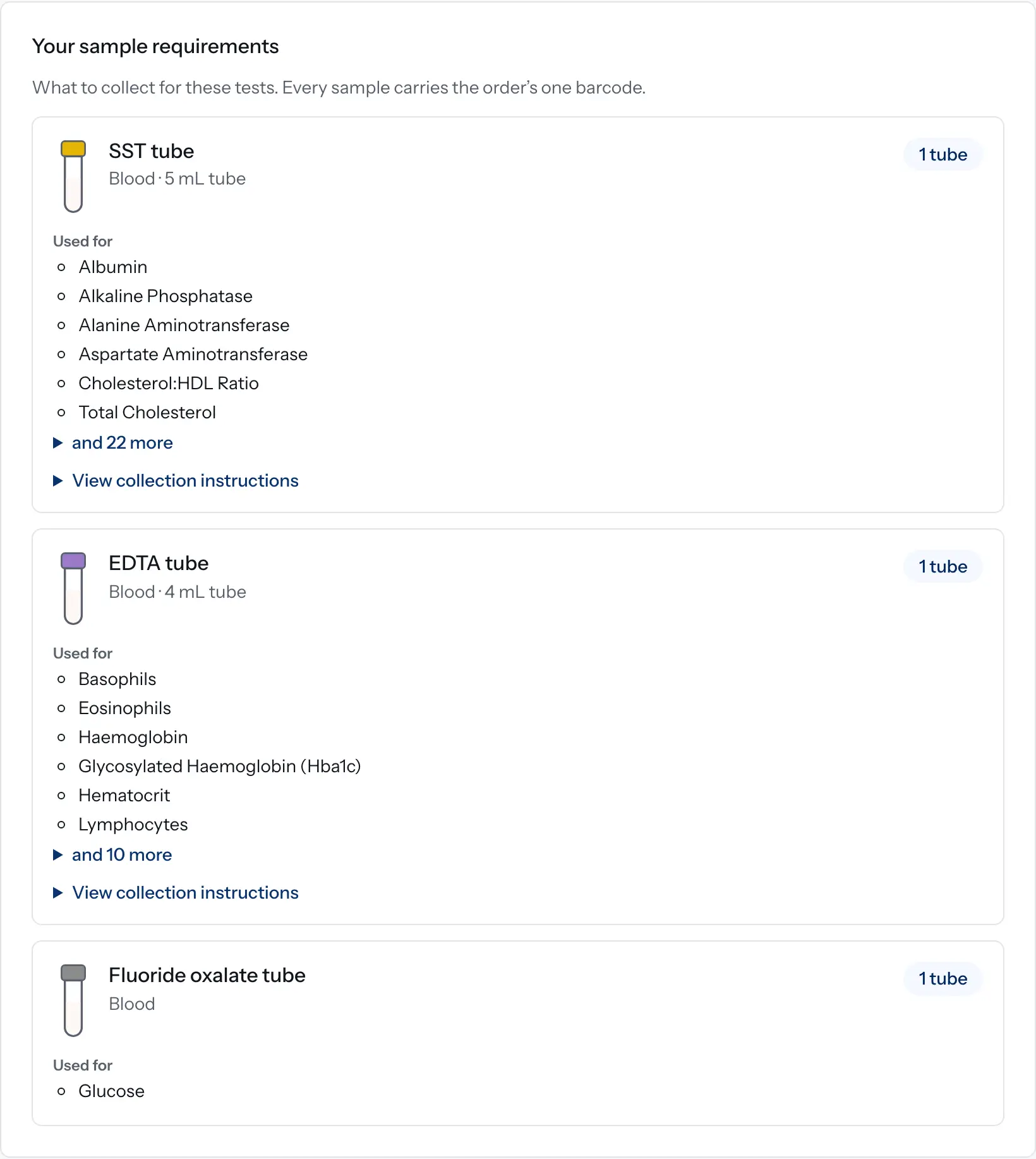
How sample requirements are worked out in Doxtor
How Doxtor turns the tests on an order into a list of tubes and containers to collect, and when it shows a volume. Educational information, not clinical advice.
2 min read